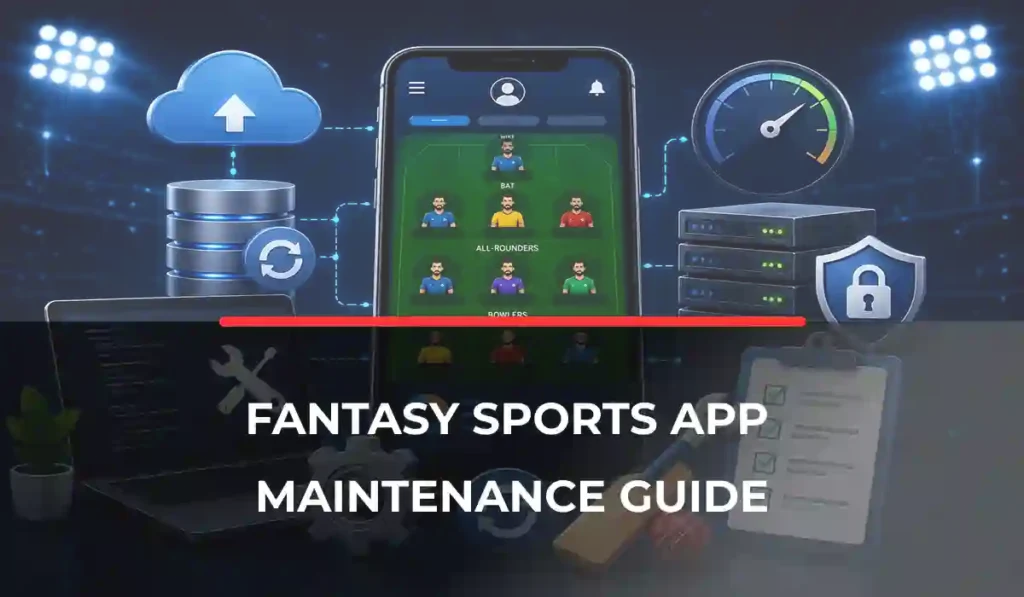
Launching a fantasy sports app is only the beginning. After launch, the platform needs regular updates, performance checks, bug fixes, and ongoing improvements to keep the user experience smooth and reliable.
Sports seasons change, devices and browsers receive updates, and user expectations continue to grow. Regular fantasy sports app maintenance helps businesses keep the platform stable while responding to these changes.
Ongoing support can also protect the investment made in fantasy sports software development. A planned maintenance approach helps identify problems early, improve performance, and keep the platform ready for future growth.
Why Fantasy Sports Apps Need Ongoing Maintenance
A fantasy sports app works in a changing environment. New sports seasons bring different usage patterns, users expect faster experiences, and third-party services can change over time. Regular maintenance is an integral part of the fantasy sports development process and it helps the platform keep working smoothly as these changes happen.
Continuous User Expectations
Users expect quick loading, accurate information, smooth contests, and reliable payments. Small performance issues can become frustrating when they happen repeatedly. Regular reviews help businesses identify and fix these problems.
Real-Time Activity
Fantasy platforms depend on real-time activity during matches. Errors, delays, or downtime can affect contests and user trust. Ongoing monitoring helps teams identify performance problems before they become larger issues.
Seasonal Traffic
User activity can increase sharply during major tournaments and popular sporting events. Maintenance helps businesses Review platform performance and prepare for expected increases in demand.
New Devices, Browsers, and Operating Systems
Mobile operating systems, browsers, and devices continue to change. Compatibility updates help ensure the platform continues to work properly across supported devices.
Business Continuity
Regular maintenance reduces the risk of unexpected disruptions. It also gives businesses a chance to improve the platform gradually instead of waiting for a major problem to force an urgent change.
For businesses offering fantasy sports app development, post-launch maintenance should therefore be treated as part of the long-term platform plan rather than an optional service.
Types of Maintenance
Fantasy sports app maintenance is not limited to fixing bugs. Different types of maintenance help keep the platform stable, compatible, secure, and useful as business needs change. The four types of maintenance established technical classification (ISO/IEC/IEEE 14764:2022) are corrective, preventive, adaptive, and perfective maintenance.
Corrective Maintenance
Corrective maintenance focuses on fixing problems after they are identified. These may include broken features, display issues, incorrect calculations, crashes, or unexpected errors.
Quick corrective work can prevent small problems from affecting more users. It is especially important when an issue affects contests, payments, account access, or other important platform functions.
Preventive Maintenance
Preventive maintenance focuses on identifying and addressing latent problems before they cause operational failures. In simple terms, it focuses on reducing the chance of future problems. Teams may review system performance, remove outdated components, check dependencies, and identify areas that could become difficult to maintain.
The goal is to find weaknesses before they turn into major issues. It can reduce unexpected downtime and make future updates easier.
Adaptive Maintenance
Fantasy sports app need to work with changing environments. New mobile operating systems, browsers, devices, payment services, and external providers may require updates.
Adaptive maintenance keeps the platform compatible with these changes so users can continue using it without major disruption.
Perfective Maintenance
Perfective maintenance focuses on improving an existing platform. Businesses may use user feedback and performance data to improve navigation, simplify workflows, or enhance existing functionality.
These improvements are different from building an entirely new product. They focus on making the current platform more useful and efficient.
A balanced fantasy sports software maintenance plan should include all four types. This helps businesses respond to current problems while also preparing the platform for future changes.
Performance Monitoring
A fantasy sports app needs regular performance monitoring because users expect fast and reliable access, especially during live matches. Monitoring helps businesses identify problems before they affect a large number of users.
Uptime Monitoring
Uptime monitoring checks whether the platform and important services are available. Unexpected downtime can prevent users from joining contests, checking scores, or managing their accounts.
Response Times
Slow pages or delayed actions can reduce user satisfaction. Tracking response times helps identify areas that may need optimization as traffic and platform activity increase.
Error Tracking
Error monitoring helps identify crashes, failed requests, broken features, and other issues. Teams can use these reports to prioritize problems based on their impact.
Database Health
Database performance can affect important platform activities such as user accounts, contests, transactions, and match data. Regular health checks can help identify performance issues before they become serious.
API Monitoring
Sports data, payment services, notifications, and other third-party integrations can affect the platform when they experience delays or errors. Monitoring their status helps teams respond when an external service is not working as expected.
User Experience Metrics
Technical performance is only part of the picture. Businesses should also review metrics such as failed actions, abandoned processes, and user feedback to understand how performance issues affect real users.
Software Updates and Feature Enhancements
A fantasy sports app should continue improving after launch. Regular updates help maintain compatibility, fix known issues, and respond to changing user expectations.
Regression Testing
Changes to one part of a fantasy sports app can affect other features. Regression testing helps confirm that existing functionality continues to work after updates, bug fixes, integrations, or performance improvements.
Feature Releases
New features can be introduced when there is a clear business or user need. Small, planned releases are often easier to manage than making large changes all at once.
UI Improvements
User feedback can highlight confusing screens, unnecessary steps, or areas that need better navigation. Small interface improvements can make the platform easier to use without changing its core functionality.
User Feedback
Reviews, support requests, and usage patterns can show which parts of the platform need attention. Businesses can use this information to prioritize improvements that provide real value.
Compatibility Updates
Changes to mobile operating systems, browsers, devices, or third-party services may require updates. Keeping the platform compatible helps prevent avoidable user issues.
Need Help Maintaining Your Fantasy Sports App?
Keeping a fantasy sports app reliable requires more than fixing bugs when they appear. From performance monitoring and security updates to API maintenance, compatibility checks, and peak-season preparation, ongoing technical support can help keep your platform ready for users.
Technical Debt Reduction
Older components can become harder to maintain over time. Regular maintenance can address outdated or inefficient parts of the platform before they create larger problems.
Maintenance and major product development are not the same. Routine maintenance generally focuses on supporting and enhancing the existing platform, while major product development may involve substantial new functionality, architectural changes, or a significant change in product direction.
New functionality should also fit naturally into the existing fantasy sports app features rather than being added simply to increase the feature count.
Security Maintenance
Security does not end when a fantasy sports app goes live. New vulnerabilities, outdated dependencies, and changes in user access can create new risks over time. For a broader look at protecting your platform, read our fantasy sports security and compliance guide.
According to OWASP: “Keep dependencies secure by identifying vulnerable components and thoroughly testing updates before deploying them to production.”
Security Patches
Security patches should be evaluated and applied promptly, with critical vulnerabilities prioritized and updates tested before production deployment where practical. Delaying important updates can leave older components exposed to known security risks.
Vulnerability Monitoring
Regular checks can help identify weaknesses in the application and its dependencies. Early detection gives the team more time to address issues before they affect users.
Access Reviews
User and administrator access should be reviewed regularly. Removing unnecessary permissions and inactive accounts can reduce the risk of unauthorized access.
Backup Verification
Backups should be checked regularly to confirm that important data can be recovered when needed. A backup that has never been tested may not provide reliable protection during an incident.
Security
maintenance should work alongside the broader fantasy sports security strategy. Ongoing maintenance keeps existing protections updated, while the wider security approach covers risks, policies, and compliance requirements.
Managing Third-Party Integrations
Fantasy sports apps often depend on external services for sports data, payments, authentication, notifications, and other functions. These services can change over time, so their compatibility should be monitored as part of regular maintenance.
Sports API Updates
Sports data providers may change API versions, data formats, endpoints, authentication requirements, or supported services. Monitoring these changes helps prevent disruptions to live scores, player statistics, fixtures, and other important data.
Payment Gateway Changes
Payment providers can introduce new requirements, updates, or changes to their services. Regular checks help ensure deposits and withdrawals continue to work properly.
Authentication Providers
Changes to authentication services can affect user login and account access. Updates should be reviewed and tested before they create problems for users.
Push Notification Services
Notifications are important for match alerts, contest updates, and other user communication. Changes to notification services or mobile operating systems may require compatibility updates.
Preparing for Peak Sports Seasons
Fantasy sports apps often experience higher activity during major tournaments, popular leagues, and important matches. A platform that performs well during normal traffic may still face problems when large numbers of users join contests at the same time.
Understand Seasonal Demand
Review previous traffic, user activity, contest participation, and match schedules to identify periods when demand is likely to increase. This gives the business a better basis for preparation.
Review Platform Capacity
Before a major sports season, teams should review whether the current platform can handle expected activity. Performance issues should be identified and addressed before traffic reaches its peak.
Test Important User Journeys
Key actions such as login, team creation, contest joining, payments, and live score viewing should be reviewed before high-demand periods. This helps identify problems that could affect users during important matches.
Prepare Support Teams
Higher traffic can also result in more customer support requests. Businesses should prepare support teams for common questions, payment issues, account problems, and match-related concerns.
Plan Ahead
Peak-season preparation should happen before the event begins. Last-minute changes can introduce unnecessary risks when the platform is already under heavy demand.
For platforms expecting significant traffic spikes during live matches, capacity planning and infrastructure design require more detailed attention than routine maintenance.
When Should You Upgrade Your App?
Maintenance can keep a fantasy sports app running smoothly, but there comes a point when regular updates are no longer enough. An upgrade may be needed when the platform can no longer support business goals or user expectations effectively.
Growing User Base
A larger user base can place greater demands on the platform. If performance issues continue despite regular optimization, the underlying platform may need to be upgraded. Businesses considering an upgrade can also review our fantasy sports app development pricing for an idea of the investment involved.
Performance Bottlenecks
Repeated slowdowns, errors, or limitations can indicate that existing components are reaching their practical limits. Upgrading can help remove these restrictions and support future growth.
New Monetization Opportunities
New revenue opportunities may require changes to existing functionality. For example, introducing premium services, subscriptions, or new payment options may require platform improvements. Explore these options further in our guide to fantasy sports monetization strategies.
Feature Expansion
As the product grows, businesses may want to introduce new sports, contest types, user experiences, or advanced functionality. The existing platform should be reviewed to determine whether it can support these additions efficiently.
Platform Modernization
Older technologies and components can become harder to maintain or support. Modernization can improve maintainability, compatibility, and long-term flexibility.
Technology choices also play an important role in modernization. A review of the fantasy sports tech stack can help identify outdated components and areas that may limit future growth.
Maintenance Best Practices Checklist
A consistent maintenance routine helps businesses keep their fantasy sports app reliable and ready for growth. The exact maintenance schedule can vary based on platform size, traffic, and business needs.
- Set a monitoring schedule for uptime, performance, errors, APIs, and important user journeys.
- Maintain regular backups and test that data can be restored when needed.
- Follow an update cadence for software, dependencies, supported devices, and third-party services.
- Review performance regularly to identify slow processes and growing bottlenecks.
- Conduct security reviews and address important vulnerabilities promptly.
- Review user feedback to identify recurring issues and useful improvement opportunities.
- Check third-party integrations for compatibility and service changes.
- Review peak-season readiness before major tournaments and high-traffic events.
- Document maintenance activities so teams can track completed updates, known issues, and upcoming work.
- Conduct regression testing after significant updates, fixes, and integration changes.
Conclusion
Launching a fantasy sports app is only the first step. Regular maintenance helps protect performance, user experience, security, and business continuity as the platform grows.
Ongoing monitoring, bug fixes, compatibility updates, third-party integration checks, and performance improvements can help prevent small issues from becoming major problems. A planned maintenance strategy also makes it easier to prepare for new sports seasons and changing user needs.
For businesses investing in fantasy sports software development, long-term support should be considered from the beginning. The right maintenance partner can help keep the platform stable while supporting continuous improvement and future growth.
Keep Your Fantasy Sports App Running Smoothly
From performance and security to updates and scalability, ongoing maintenance helps your fantasy sports app stay reliable as users and demands grow. Keep your platform performing at its best with expert support built for long-term growth.
FAQs
Why is fantasy sports app maintenance important?
Regular maintenance keeps the platform secure, stable, compatible, and responsive while helping prevent small issues from becoming major problems.
What happens after launching a fantasy sports app?
After launch, the platform needs ongoing monitoring, bug fixes, updates, performance optimization, security maintenance, and improvements based on user needs.
How often should a fantasy sports app be updated?
There is no fixed schedule. Important security and compatibility updates should be handled promptly, while feature and performance updates can follow a planned release schedule.
What types of maintenance does a fantasy sports app require?
The main types are corrective, preventive, adaptive, and perfective maintenance. Together, they address bugs, future risks, compatibility, and ongoing improvements.
How do sports API updates affect maintenance?
Changes to sports APIs can affect live scores, player data, fixtures, and other platform functions. Regular compatibility checks help prevent disruptions.