Most businesses don’t run on a single system. Sales runs in one platform, accounting in another, inventory somewhere else, and HR in yet another tool entirely. Employees end up copying the same information from one screen to another, data gets trapped in disconnected databases, and even simple workflows become unnecessarily manual.
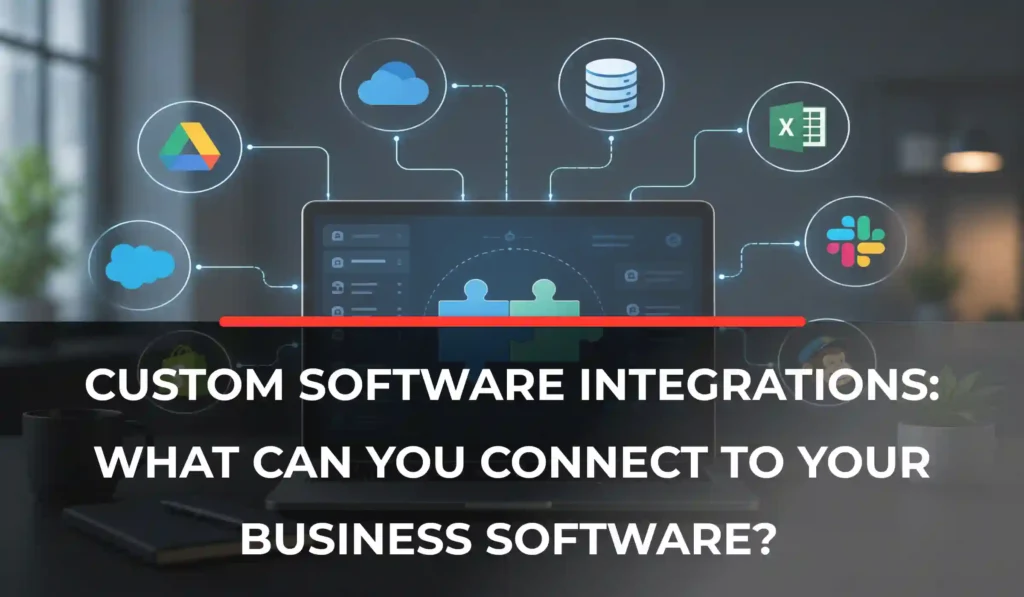
Custom software can solve this without forcing a business to rip out and replace everything it already uses. Instead of becoming just another disconnected tool, custom software can act as a central layer that connects the systems a business already relies on.
So what can businesses actually connect to custom software, and how do those integrations work? This article breaks that down, including practical custom software integration examples and the business software integration options most companies are evaluating right now.
What Is Custom Software Integration?
Software integration is the process of connecting two or more systems so they can automatically exchange data or trigger actions in one another. Instead of an employee manually entering the same order, customer, or invoice into multiple platforms, integrated systems pass that information between each other on their own.
A few terms are worth separating here:
- Custom software is an application built around a business’s specific processes.
- Third-party software refers to the existing platforms a business already uses—a CRM, an accounting tool, an eCommerce platform, and so on.
- APIs are the interfaces that allow different software systems to communicate with each other.
- Databases store the underlying data that integrations move or synchronize.
- Integration platforms are tools designed specifically to connect systems, sometimes with pre-built connectors.
A common misconception is that integration means replacing existing software. In most cases, it doesn’t. Custom software can instead sit between existing systems as a connection point, letting a business keep the platforms it already relies on while making them work together.
Example: CRM → Custom Business Software → Accounting System
Customer and order information can move between these systems automatically, without an employee copying it by hand from one to the other.
What Can Custom Software Integrate With?
This is the core question most businesses researching custom software integrations are trying to answer. In practice, custom software can connect with almost any system that provides an accessible API, database connection, or file-based method of exchanging data, which means custom application integration can extend to CRMs, ERPs, eCommerce platforms, payment systems, and far more.
CRM Systems
Connecting custom software to a CRM is one of the most common integration needs, especially for businesses managing leads, customer accounts, or sales pipelines. Typical use cases include:
- Synchronizing customer records across systems
- Sending leads from a website or application directly into the CRM
- Updating customer information automatically as it changes
- Syncing sales pipeline data
- Triggering notifications based on CRM activity
- Connecting a custom customer portal with live CRM data
Common CRM platforms include Salesforce, HubSpot, and Microsoft Dynamics, though the same principles apply to most CRM systems with an available API. If your business is exploring a purpose-built solution rather than integrating with an off-the-shelf CRM, custom CRM software is worth a closer look. And if you’re weighing whether to build around your existing platform or move away from it entirely, custom CRM vs. Salesforce walks through that decision in more detail.
ERP Systems
ERP integrations typically involve exchanging operational data that touches multiple departments at once, including:
- Inventory data
- Orders
- Purchasing information
- Customer records
- Financial information
- Production data
- Supplier information
Connecting custom software to an ERP system helps businesses avoid maintaining the same information in two places, where inconsistencies and outdated records often creep in.
Accounting and Financial Software
Accounting integrations can cover a range of financial processes, such as:
- Invoice generation
- Payment status updates
- Customer account information
- Transaction records
- Expense information
- Financial reporting
Platforms like QuickBooks and Xero are common examples, but not every integration is automatically available out of the box. What’s actually possible depends on the platform’s API capabilities and the access permissions your business has been granted.
eCommerce Platforms
For businesses selling online, custom software can integrate with:
- Online stores
- Product catalogs
- Inventory systems
- Order management
- Customer accounts
- Shipping systems
- Payment systems
Popular platforms include Shopify, WooCommerce, and Magento (Adobe Commerce).
Example workflow:
eCommerce store → Custom software → Inventory system
When a customer places an order, inventory levels can update automatically, with no manual data entry required. For businesses building out a broader online sales strategy, eCommerce development is often a natural extension of this kind of integration work.
Payment Gateways
Payment integrations typically support:
- Online payments
- Subscriptions
- Refunds
- Transaction status checks
- Payment verification
- Automated receipts
HR, Payroll, and Workforce Systems
Businesses juggling separate HR, payroll, and scheduling tools can connect custom software to manage:
- Employee records
- Attendance
- Leave requests
- Payroll information
- Scheduling
- Workforce data
- Onboarding workflows
This is especially useful for businesses running multiple standalone systems for HR-related functions that don’t naturally talk to each other.
Communication Platforms
Custom software can also connect with the tools a business uses to communicate, including:
- Email platforms
- SMS providers
- Notification services
- Chat platforms
- Collaboration tools
Common use cases include automated notifications, appointment reminders, order updates, employee alerts, customer communications, and workflow notifications, all triggered automatically by activity elsewhere in the business’s systems.
Marketing and Advertising Platforms
Integrating custom software with marketing tools helps connect customer data with campaign activity. This can include:
- Email marketing platforms
- Customer data platforms
- Analytics tools
- Advertising platforms
- Lead-generation systems
In practice, this might look like automatically sending new leads to a marketing platform, syncing customer segments, tracking which leads came from specific campaigns, or connecting sales data with marketing performance.
Analytics and Business Intelligence Tools
Sending data from custom software into analytics systems allows businesses to build:
- Dashboards
- Reports
- KPI tracking
- Customer analysis
- Sales reporting
- Operational reporting
By pulling data from multiple systems into one place, businesses can get a more complete view of performance instead of piecing it together from separate reports.
External APIs and Web Services
Beyond core business platforms, custom software can also connect to external APIs for services like:
- Maps and location services
- Shipping
- Weather
- Identity verification
- AI services
- Tax calculations
- Currency conversion
- Messaging
- Payment processing
An API lets two software systems communicate, but what’s available through that connection depends on the API’s functionality, authentication requirements, usage limits, and access permissions; not every API exposes the same level of access.
Connect Your Business Systems Without the Manual Work
Custom software integration can help bring your disconnected workflows together.
DynamoLogic Solutions can assess your existing systems and build integrations around the way your business actually operates.
Common Custom Software Integration Examples
Seeing real software integration examples in practice often makes the concept clearer than a list of platforms.
Example 1: CRM + Custom Customer Portal
Customer information lives in the CRM. A custom portal retrieves the relevant details, allowing customers to update information or submit requests. Those updates are then sent back to the CRM automatically.
Example 2: eCommerce + Inventory + Accounting
A customer places an order. Inventory updates automatically. Order information is sent to accounting. The customer receives confirmation — all without manual entry at any step.
Example 3: HR + Attendance + Payroll
Employee attendance is recorded and flows into the relevant HR or payroll system, where it’s used directly in payroll calculations.
Example 4: Website + CRM + Marketing
A visitor submits a lead form. The lead enters the CRM. Marketing automation is triggered based on that entry. The sales team is notified and can follow up.
Example 5: Custom Software + Payment Gateway
A customer initiates a payment. The payment gateway processes the transaction and returns a status. The software then updates the customer’s order or account accordingly.
These kinds of software integration examples aren’t limited to any one industry, either. A property management platform might connect listings, tenant records, and payment data the way custom software for real estate companies often does, while a logistics business might tie dispatch, tracking, and billing systems together the way fleet management software for logistics companies does. The systems differ, but the underlying integration logic is largely the same.
How Do Custom Software Integrations Work?
At a basic level, most integrations follow a similar pattern:
System A → API/integration layer → Custom software → API/integration layer → System B
A handful of common mechanisms make this possible:
- REST APIs. The most widely used method for systems to exchange data
- GraphQL APIs. A more flexible alternative for querying specific data
- Webhooks. Automatic notifications sent when an event occurs in another system
- SDKs. Pre-built code libraries that simplify working with a platform’s API
- Database connections. Direct access to underlying data when supported and appropriate
- File-based integrations. Exchanging data through structured files rather than live connections
- Middleware/integration platforms. Tools designed specifically to connect multiple systems
What Are the Benefits of Integrating Business Software?
Integration isn’t valuable in the abstract; it’s valuable because of what it changes day to day:
- Reduced manual data entry. Fewer hours spent copying information between systems.
- Fewer duplicate records. One source of truth instead of several conflicting ones.
- Better data consistency. Information stays accurate across every connected system.
- Faster workflows. Processes that once took multiple steps happen automatically.
- Improved visibility. Teams see up-to-date information without switching platforms.
- Automated processes. Routine tasks run without manual intervention.
- Better customer experience. Customers get faster, more accurate service.
- Reduced switching between systems. Employees spend less time jumping between tools.
- More efficient reporting. Data from multiple systems comes together in one view.
- Greater operational scalability. Processes can handle more volume without adding proportional manual work.
Each of these benefits tends to show up most clearly in the workflows a business already struggles with, which is usually where integration efforts are worth focusing first.
What Should You Consider Before Integrating Custom Software?
Before starting an integration project, it’s worth thinking through a few practical questions.
1. Compatibility
Does the existing platform provide an API? What data can actually be accessed through it?
2. Authentication and Security
How will the systems authenticate with each other? What permissions are required? How will sensitive data be protected throughout the exchange?
3. Data Mapping
Do the systems use the same fields and formats? How will duplicate or conflicting records be handled when they don’t match?
4. API Limitations
What are the rate limits? Which endpoints are actually available? What API version is in use, and are there other usage restrictions to plan around?
5. Reliability
What happens when one system is temporarily unavailable? Should failed transactions be retried automatically, or flagged for review?
6. Maintenance
What happens when an external platform updates its API? Who is responsible for monitoring the integration over time?
7. Scalability
Can the integration handle increased transaction and data volume as the business grows?
Custom Integration vs. Manual Data Transfer
| Manual Process | Integrated Software |
|---|---|
| Employees copy information | Data moves automatically |
| Greater risk of data-entry errors | Less repetitive entry |
| Multiple systems remain disconnected | Systems exchange information |
| Slower workflows | Faster workflows |
| Difficult to scale | Easier to scale |
| More administrative work | Greater automation |
Integration doesn’t necessarily mean removing human involvement entirely. Some workflows still require review or approval; the goal is to eliminate unnecessary manual work, not oversight.
When Does a Business Need Custom Software Integration?
Integration tends to become worth pursuing when:
- Employees repeatedly enter the same data into multiple systems
- Existing software doesn’t communicate with other platforms in use
- Teams rely heavily on spreadsheets to move information between tools
- The business uses several specialized SaaS platforms that operate independently
- Data needs to move between internal systems and customer-facing applications
- Existing integration tools can’t support a more complex workflow
- The business needs a process that combines multiple platforms into one flow
- Manual processes are creating delays, bottlenecks, or errors
Custom Integration vs. Off-the-Shelf Integration Tools
Off-the-shelf integration tools
- Faster to configure
- Useful for common, standard integrations
- Often come with pre-built connectors
- May run into limitations for more complex workflows
Custom integration
- Built around a business’s specific requirements
- Can support unique or non-standard workflows
- Can connect systems in ways pre-built connectors don’t support
- Offers greater control over how data moves and is handled
- May require more development and ongoing maintenance investment
Custom integration isn’t automatically the better choice. Off-the-shelf tools are often the right call for common, well-supported connections. Custom integration becomes worth considering when a business’s requirements go beyond what standard connectors can handle efficiently.
How Much Do Custom Software Integrations Cost?
There’s no single price tag that applies to every integration project. Costs typically depend on:
- The number of systems being connected
- The complexity of the APIs involved
- The amount of data being exchanged
- Authentication requirements
- Whether synchronization needs to happen in real time or on a schedule
- Custom business logic required
- Security requirements
- Testing
- Ongoing maintenance
Because integration is often just one part of a larger custom software project, it helps to look at the bigger picture of what the overall build might cost. Our guide to custom software development cost breaks down the factors that shape a full project budget.
How to Plan a Custom Software Integration Project
A straightforward integration project generally follows these steps:
1. Identify the systems that need to communicate with each other.
2. Define exactly what data needs to move between them.
3. Identify the required APIs or integration methods.
4. Define the business rules and automation involved.
5. Address security and permissions requirements.
6. Plan for error handling and ongoing monitoring.
7. Test the integration thoroughly before launch.
8. Monitor performance and reliability after launch.
Conclusion
Businesses don’t necessarily need to replace their existing software to fix disconnected workflows. In many cases, custom software can connect the systems already in place and create a more unified technology environment.
The most valuable integrations aren’t the ones that connect the most systems; they’re the ones that eliminate unnecessary manual work, improve the flow of accurate data, or enable workflows that existing tools simply can’t handle on their own.
What makes sense for one business won’t necessarily make sense for another; the right integration approach depends on the specific systems, data, security requirements, and processes involved.
Ready to Connect Your Business Systems?
Stop wasting time moving data between disconnected platforms. DynamoLogic Solutions can build custom software integrations that connect your business systems, helping your team automate workflows and keep data moving where it needs to go.
FAQs
What is custom software integration?
Custom software integration is the process of connecting custom-built software with other business systems, such as a CRM, ERP, or accounting platform, so they can exchange data or trigger actions automatically, without manual entry.
What can custom software integrate with?
Custom software can integrate with CRM systems, ERP platforms, accounting and financial software, eCommerce platforms, payment gateways, HR and payroll systems, communication tools, marketing platforms, analytics tools, and external APIs.
Can custom software integrate with a CRM?
Yes. Custom software can sync customer records, send leads into a CRM, update information automatically, and connect customer-facing portals with live CRM data — provided the CRM offers an accessible API.
Can custom software integrate with ERP systems?
Yes. Integrating with an ERP system allows custom software to exchange inventory, order, purchasing, financial, and supplier data, helping avoid duplicate records across systems.
Can custom software integrate with Shopify or WooCommerce?
In most cases, yes. Both platforms offer APIs that allow custom software to connect with product catalogs, orders, inventory, and customer data, though the exact scope depends on the store’s setup and permissions.