When most people hear custom software, they picture something only a large enterprise with a massive IT budget would build. In reality, custom software can be created around something far more specific and far more accessible: a single workflow, an operational bottleneck, a customer experience gap, or a business model that doesn’t fit neatly into an off-the-shelf product.
The use cases are broader than most business owners expect. Custom software can automate repetitive processes, manage customers, coordinate employees, process transactions, track inventory, analyze data, connect disconnected systems, or power an entirely new customer-facing platform.
This article is a practical guide to what custom software can do for a business, not a theoretical overview of the technology behind it, and not a list of custom software development services.
What Is Custom Software Used For?
Custom software is built around the specific requirements of a business or workflow, rather than the general needs of a broad market. Its purpose isn’t simply to replace the tools a business already uses; it’s to fill the gaps those tools leave behind.
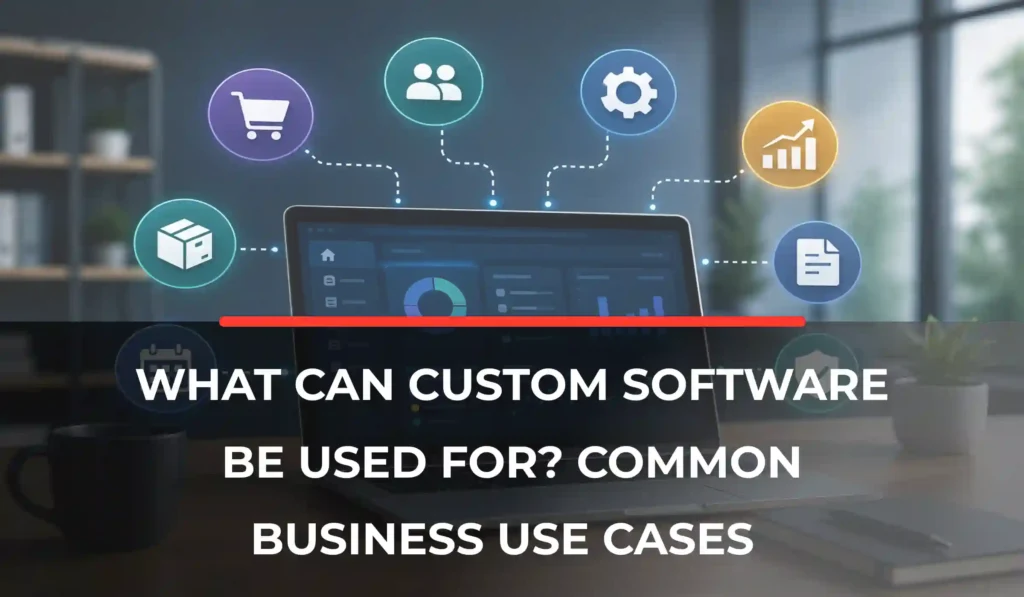
The most common uses of custom software for businesses fall into a handful of practical categories, which this article walks through in detail below.
Businesses typically turn to custom software when they need:
- Functionality that off-the-shelf software doesn’t provide.
- Automation for processes that are unique to their business.
- Integration between multiple systems that don’t talk to each other.
- Support for specialized or non-standard workflows.
- Greater control over their data and functionality.
- Software that can evolve as the business grows and changes.
The common thread across all of these is a problem that existing software can’t solve efficiently, not a preference for custom-built technology for its own sake. Done well, custom software improves operational efficiency by fitting the way a business actually works, rather than asking the business to work around the software.
Common Business Use Cases for Custom Software
The sections below cover common areas where businesses build custom solutions, from automating everyday administrative work to running customer-facing platforms. They can help you identify which use cases align with the problems your business is facing.
Automating Repetitive Business Processes
Many businesses lose hours every week to manual, repetitive work: data entry, approvals, document generation, notifications, recurring administrative tasks, invoice processing, employee workflows, and order processing.
Custom software can connect these individual steps into a single automated workflow, removing the need for employees to move information between multiple disconnected tools by hand.
Customer Relationship Management
A custom CRM system can manage customer records, track leads, and organize sales pipelines around the exact process a sales team actually follows, rather than forcing that process into a generic template.
It can automate follow-ups, log customer interactions, manage account information, and generate reports tailored to what the business needs to track. Custom CRM platforms can also connect directly with other business systems, keeping customer data consistent everywhere it’s used. It is one of the most common custom software applications for businesses that have outgrown a generic, one-size-fits-all CRM.
Employee & Workforce Management
Custom software can handle employee scheduling, attendance tracking, leave management, task allocation, and workforce planning, all built around how a specific business actually staffs its operations.
It is especially valuable for organizations with complex scheduling needs, such as multiple shifts, locations, or skill-based assignments. Performance tracking, employee portals, and internal communication tools can be layered on top, giving both managers and staff a single place to handle day-to-day workforce needs.
Inventory & Order Management
Businesses that sell physical products often need more than a generic inventory spreadsheet. Custom software can track inventory levels in real time, manage purchase orders, process sales orders, and automate reorder alerts before stock runs out.
It can also manage multiple warehouses, track product movement across locations, and connect inventory data directly with eCommerce platforms, keeping stock counts accurate across every sales channel.
Financial & Billing Workflows
Custom platforms can support invoicing, payment tracking, expense management, subscription billing, and financial reporting built around how a business actually gets paid. This might include payment reconciliation, automated payment reminders, or customer account management tools.
The goal isn’t to replace dedicated accounting software; it’s to handle the financial workflows that are specific to how a business operates. Businesses building a subscription-based product around this kind of billing logic are often, in effect, building a SaaS solution.
Project & Task Management
For businesses managing complex or client-facing work, custom software can assign tasks, track project progress, manage deadlines, and allocate resources in a way that mirrors how the team actually works.
It can also support approval workflows, generate project reports, and provide client-facing portals so customers can see status updates without needing to call or email for them.
Data Management & Reporting
One of the strongest use cases for custom software is consolidating data that’s currently scattered across spreadsheets and disconnected platforms. Custom-built dashboards can pull information from multiple systems into a single view, automate data collection, track key performance indicators, and provide role-based access so the right people see the right information.
Integrating Disconnected Business Systems
Custom software frequently acts as a bridge between systems that were never designed to work together: CRM and accounting software, eCommerce and inventory platforms, HR and payroll, a website and an internal database, a payment gateway and an order management system, or CRM and marketing platforms.
The objective isn’t to replace any of these individual tools, but to let them share data automatically instead of requiring employees to transfer information manually between them.
Customer Portals & Self-Service Platforms
Custom customer portals give clients direct access to their own information: dashboards, account details, appointment scheduling, documents, service requests, billing history, or order tracking. Support portals reduce the volume of manual customer service work while giving customers faster, more convenient access to what they need, often improving satisfaction and reducing support costs at the same time.
eCommerce & Online Marketplaces
Standard eCommerce platforms work well for straightforward online stores, but businesses with more complex needs, specialized product catalogs, marketplace models, vendor management, custom checkout flows, subscription pricing, or commission structures often outgrow them quickly.
Custom eCommerce and marketplace software can be built to handle these specific requirements, along with order management and customer account features designed around the business model itself.
Have a Software in Mind?
Whether you need to automate a workflow, connect existing systems, or build a platform around a unique business process, custom software can be designed around your requirements. Talk to our team to explore what a practical solution could look like for your business.
Booking & Scheduling Systems
Custom scheduling software can manage appointment booking, resource reservations, employee scheduling, and room or equipment availability. It can also handle automated reminders, cancellation policies, and integrated payments.
Custom scheduling tends to become especially valuable when a business has booking rules, multiple resources, overlapping availability, tiered pricing, or complex cancellation logic that standard scheduling tools simply can’t accommodate.
Industry-Specific Workflows
Custom software isn’t limited to generic business administration; it’s often built around the specific demands of an industry:
- Healthcare: Patient portals, appointment management, clinical workflows.
- Logistics: Fleet management, dispatching, shipment tracking.
- Staffing: Candidate management, workforce scheduling, timesheets.
- Real estate: Property management, lead management, tenant portals.
- Education: Student portals, course management, administration.
- Manufacturing: Production planning, inventory, quality control.
- Professional services: Client portals, project management, billing.
Each of these industries has operational realities that generic software often struggles to support well, and several of them – patient portals, tenant portals, and field and dispatch tools are frequently delivered as a mobile application rather than a desktop platform.
What Problems Can Custom Software Solve?
Beyond specific use cases, it helps to think about custom software in terms of the problems it solves. Businesses often turn to custom solutions when they’re dealing with:
- Too much manual data entry.
- Repetitive administrative work.
- Multiple disconnected systems.
- Spreadsheet-dependent processes.
- Lack of visibility into business data.
- Inefficient approval processes.
- Complex, non-standard workflows.
- Poor customer self-service options.
- Difficulty scaling operations as the business grows.
- Existing software that lacks required functionality.
If several of these sound familiar, it’s often a sign that a business has outgrown what generic tools were built to handle.
Custom Software vs. Off-the-Shelf Software
Choosing between custom and off-the-shelf software isn’t about which one is inherently better; it’s about which one fits the situation.
Off-the-Shelf Software:
- Comes with pre-built functionality
- Is generally faster to implement
- Is usually easier to adopt
- Is designed for a broad market
- May require the business to adapt its workflows to fit the software
Custom Software:
- Is designed around specific business requirements
- Can support unique workflows without compromise
- Can integrate deeply with existing systems
- Offers greater control over functionality and data
- Can evolve as the business’s requirements change
- Requires a larger initial investment and ongoing maintenance
Custom software tends to make more sense when a business has requirements that existing products simply can’t accommodate efficiently, not as a default upgrade from off-the-shelf tools.
When Should a Business Consider Custom Software?
Custom software becomes worth considering when:
- Existing tools require extensive workarounds to function properly
- Employees repeatedly perform the same manual tasks
- Multiple systems don’t communicate with each other
- A unique workflow gives the business a genuine operational advantage
- Existing software can’t scale with the business’s growth
- The business needs specialized reporting or data management
- Customer-facing processes need a more tailored experience
- Multiple subscriptions are being used to patch together one integrated workflow
- The business has specific security, access, or compliance requirements
Recognizing these patterns is often the first step toward realizing that a generic tool isn’t going to solve the underlying problem. If several of these apply to your business, it’s worth reviewing the signs your business needs custom software in more detail, along with a realistic view of custom software development cost before moving forward.
How to Identify a Good Custom Software Use Case
Before deciding whether custom software makes sense, it helps to ask a few targeted questions:
- What tasks consume the most employee time?
- Which processes involve repetitive manual work?
- Where are employees entering the same data multiple times?
- Which systems need to share information but currently don’t?
- Where do errors frequently occur?
- What information is difficult to access or report on?
- Where are customers experiencing unnecessary friction?
- Which processes become harder to manage as the business grows?
- What functionality is missing from the software currently in use?
Working through these questions often reveals a clear starting point for a custom solution, rather than trying to tackle every problem in the business at once. Once you’ve identified a strong candidate, it helps to know how to plan a successful software development project before committing budget and resources to it.
Examples of Custom Software Solutions
To make these custom software solutions for businesses more concrete, here are a few examples of custom software for businesses in different industries:
- A logistics business: a custom fleet management platform connecting vehicles, drivers, dispatching, and reporting into one system.
- A staffing business: a platform combining candidate management, scheduling, timesheets, and workforce communication.
- An eCommerce business: a custom order and inventory system connected directly to its online storefront.
- A professional services business: a client portal connecting project updates, documents, invoices, and support requests in one place.
- A healthcare organization: a patient-facing portal connected to internal appointment and administrative systems.
Benefits of Using Custom Software
The advantages of custom software tie directly back to the use cases above:
- Better alignment between software and actual workflows
- Meaningful process automation, not just digitization
- Improved visibility into business data
- Deeper integration between existing systems
- Greater overall operational efficiency
- Scalability as the business grows
- A more tailored customer experience
- Greater control over functionality and future development
- Less reliance on a patchwork of disconnected tools
Final Thoughts
Custom software can be used for far more than building a website or a mobile app. Its strongest use cases tend to involve specific business processes, system integrations, automation, data visibility, or customer-facing experiences that off-the-shelf tools can’t fully support.
That doesn’t mean every business needs custom software. The strongest case for building it exists when existing solutions genuinely can’t address an important business requirement, not simply because the option is available.
If your business has a process, workflow, or software requirement that existing tools can’t handle well, it’s worth discussing the specifics with a custom software development team to see whether a custom solution is actually the right fit, and worth reviewing some common software development mistakes businesses make before you start.
Ready to Build Software That Fits Your Business?
If off-the-shelf tools are creating workarounds instead of solving the problem, it may be time to consider a custom solution. Talk to our custom software development team to discuss your requirements and determine the right approach for your business.
FAQs
What is custom software used for?
Businesses use custom software to automate workflows, manage data, integrate systems, support customers, and handle operational requirements that are specific to how they run.
What are some examples of custom software?
Common examples include CRM platforms, employee management systems, inventory platforms, customer portals, booking systems, marketplaces, reporting dashboards, and industry-specific applications.
Why do businesses use custom software?
Businesses typically choose custom software to support unique workflows, automate specific processes, integrate disconnected systems, scale more effectively, or access functionality that off-the-shelf software doesn’t offer.
What types of businesses need custom software?
Businesses of nearly any size or industry can benefit from custom software when they have complex or specialized requirements that existing products don’t adequately support.
Is custom software better than off-the-shelf software?
Not necessarily. The right choice depends on a business’s specific requirements, budget, complexity, need for scalability, integration needs, and how well existing products already fit the business.
When should a business build custom software?
When existing solutions create significant limitations, manual workarounds, integration problems, or operational inefficiencies that a generic tool can’t resolve.