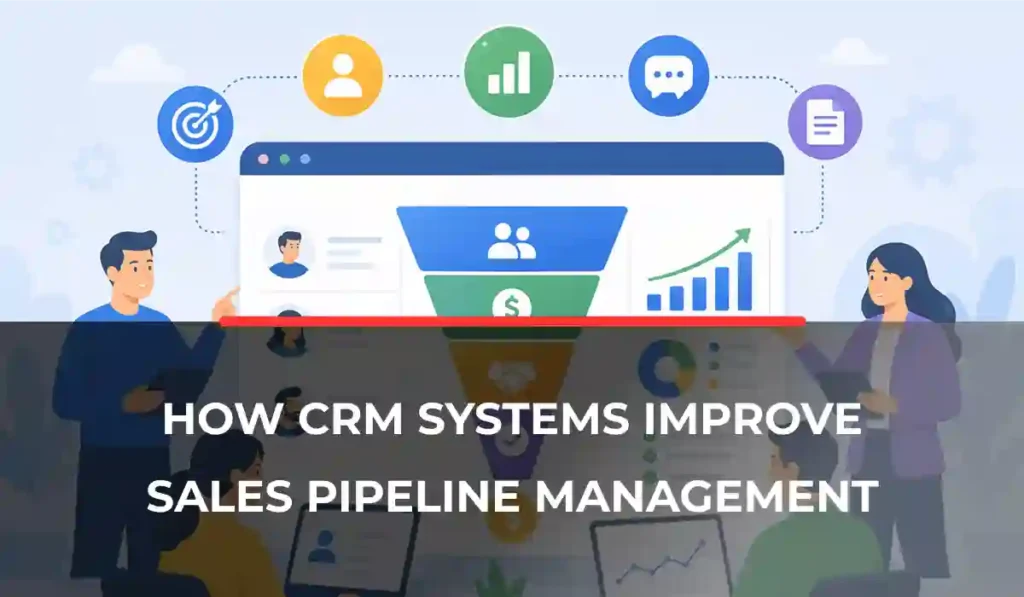
Sales pipeline management becomes more difficult as leads, follow-ups, and opportunities increase. Information gets spread across spreadsheets, emails, and multiple tools, which makes it harder for sales teams to keep track of every deal and maintain a consistent sales process.
CRM systems bring all pipeline activities into a single place. Lead tracking, follow-up management, deal progression, and reporting can be handled through a centralized platform. Businesses investing in CRM Development usually use CRM solutions to improve visibility across the pipeline and reduce manual sales administration.
This guide explains how CRM systems improve sales pipeline management, the features that drive better sales performance, and the benefits they provide for growing businesses. By the end, you’ll understand how CRM tools help create a more organized, efficient, and scalable sales process.
What Is Sales Pipeline Management in CRM?
Sales pipeline management is the process of tracking and managing potential customers as they progress through the sales journey. It helps sales teams understand where each opportunity stands, what actions are needed next, and how close a deal is to being closed.
Typical Pipeline Stages
Most sales pipelines follow a similar structure:
- Lead Generation
- Lead Qualification
- Proposal Sent
- Negotiation
- Closed (Won/Lost)
Role of CRM Systems
CRM web and mobile solutions make pipeline management easier by bringing all sales activities into a single platform. Instead of manually updating spreadsheets or tracking conversations across multiple tools, sales teams can manage every stage from one centralized system.
Key benefits include:
- Better visibility into deal progress
- Faster follow-ups and response times
- Improved conversion rates
- More accurate revenue forecasting
How CRM Systems Improve Sales Pipeline Management
Sales pipeline management becomes much easier when businesses have the right tools in place. CRM systems help sales teams stay organized, automate repetitive tasks, and gain better visibility into every opportunity.
As a result, businesses can improve efficiency, reduce missed opportunities, and make more informed sales decisions.
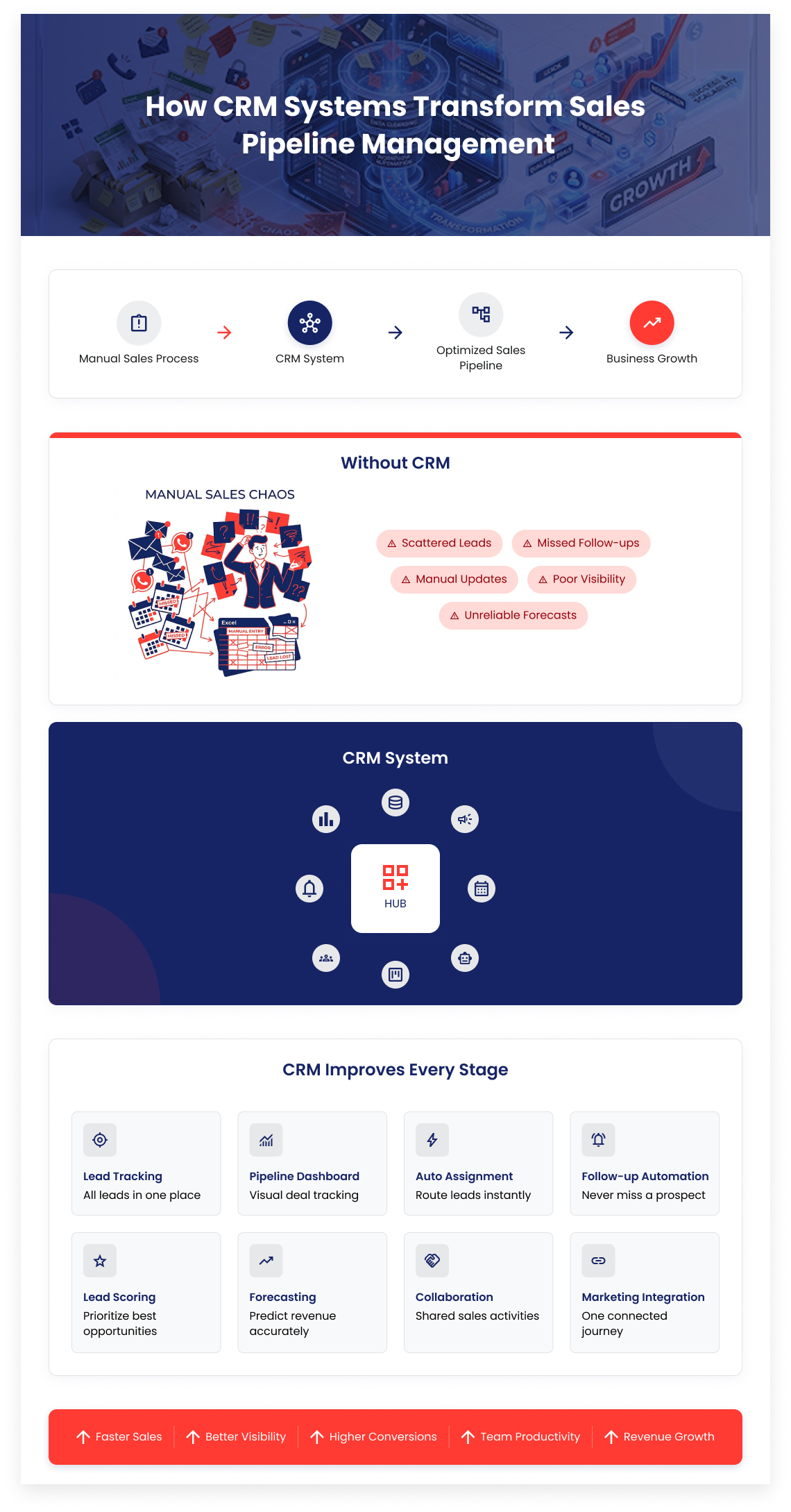
1. Centralized Lead Tracking
Keeping lead information in multiple spreadsheets, emails, and documents creates confusion and increases the risk of losing valuable opportunities. CRM systems solve this problem by storing all lead data in a single location.
2. Visual Sales Pipeline Dashboards
Understanding where deals stand is essential for managing a healthy pipeline. CRM platforms provide visual dashboards that display opportunities at every stage of the sales process.
3. Automated Lead Assignment
Responding quickly to new leads can have a significant impact on conversion rates. CRM systems can automatically assign leads to the most appropriate sales representative based on factors such as location, industry, deal size, or availability.
4. Automated Follow-Ups & Reminders
Many potential sales are lost because follow-ups are delayed or forgotten. CRM systems help prevent this by automating reminders, scheduling activities, and triggering follow-up actions when needed. Consistent communication keeps prospects engaged and improves the chances of moving deals forward.
5. Improved Lead Qualification
Not every lead is ready to buy. CRM systems help sales teams identify the most promising opportunities by analyzing engagement levels, customer behavior, and lead scores. Prioritizing qualified leads allows sales representatives to spend more time on prospects with the highest likelihood of conversion.
6. Better Sales Forecasting
Accurate forecasting depends on reliable data. CRM systems collect and organize pipeline information, making it easier to estimate future revenue and predict sales performance. Sales managers can use these insights to plan resources, set realistic targets, and make better business decisions.
7. Real-Time Collaboration Across Teams
Sales processes often involve multiple departments working together. CRM platforms allow teams to share updates, add notes, and track activities within a single system. Better collaboration reduces communication gaps and ensures everyone involved has access to the latest information.
8. Integration with Marketing Tools
Modern sales processes rely on data from multiple channels. CRM systems can connect with email marketing platforms, advertising tools, landing pages, and analytics software to create a complete view of the customer journey.
Key Features That Strengthen Sales Pipeline Management
Strong pipeline management relies on features that help sales teams stay organized, improve efficiency, and track performance more effectively.
Lead Management System
A lead management system automatically captures and stores leads in one place. It also helps organize prospects based on source, quality, and other important criteria.
Deal Tracking
Deal tracking allows sales teams to monitor opportunities as they move through the pipeline. It also provides visibility into deal values and progress.
Workflow Automation
Workflow automation reduces manual work by handling routine tasks automatically. This can include task creation, follow-up scheduling, and status updates.
Reporting & Analytics
Reporting and analytics provide insights into sales performance. Businesses can track conversion rates, sales cycle length, and team productivity to make better decisions.
Manual Sales Pipeline vs CRM-Based Pipeline
| Factors | Manual Sales Pipeline | CRM-Based Pipeline |
|---|---|---|
| Lead Data | Scattered across spreadsheets and emails | Centralized in one system |
| Follow-Ups | Easy to miss or delay | Automated reminders and workflows |
| Pipeline Visibility | Limited visibility into deal status | Real-time view of all opportunities |
| Team Collaboration | Information shared manually | Shared updates and activity tracking |
| Forecasting | Often based on estimates | Data-driven forecasting |
| Productivity | More time spent on admin tasks | More time focused on selling |
| Scalability | Difficult to manage as leads grow | Easily supports business growth |
| Conversion Rates
|
Higher risk of lost opportunities | Better lead management and conversions |
Streamline Your Sales Pipeline with Custom CRM Solutions
Transform scattered leads into a fully automated, high-converting sales pipeline with tailor-made CRM systems built for growth and efficiency.
Types of CRM Systems for Pipeline Management
CRM systems come in different forms, and the right choice depends on the size of the business, sales complexity, and automation requirements. Understanding the main types can help businesses choose a solution that fits their sales process.
1. Basic CRM Tools
Basic CRM tools are designed for businesses that need simple contact and pipeline management. They typically focus on organizing customer information and tracking deals through basic sales stages. Examples include contact management systems and simple pipeline tracking tools.
2. Enterprise CRM Platforms
Enterprise CRM platforms are built for larger organizations with more complex sales operations. They offer advanced features that help businesses automate processes, analyze data, and manage large sales teams more effectively.
3. Custom CRM Systems
Custom CRM systems are developed around a company’s specific workflows and business requirements. They offer complete flexibility in pipeline design and can be integrated deeply with existing software, processes, and internal systems.
Businesses with unique sales processes often choose custom CRM solutions to gain greater control and scalability.
Businesses with complex requirements often evaluate vendors before choosing a solution. You can explore leading providers in our guide on Top CRM Development Companies in UAE (2026 Guide).
Benefits of CRM in Sales Pipeline Optimization
A well-implemented CRM system helps businesses manage opportunities more effectively, improve sales efficiency, and gain better control over the entire pipeline.
- Better lead tracking and follow-ups help increase conversion rates.
- Workflow automation reduces delays and speeds up the sales cycle.
- Less administrative work allows sales teams to focus more on selling.
- Real-time data and reporting support better business decisions.
Common Mistakes Businesses Make Without CRM
Managing a sales pipeline without a CRM often leads to inefficiencies that affect sales performance and growth.
- Relying on spreadsheets to track leads and opportunities.
- Operating without a structured follow-up process.
- Failing to prioritize high-potential leads.
- Having limited visibility into sales performance and pipeline health.
- Struggling with inconsistent communication across teams.
How to Choose the Right CRM for Sales Pipeline Management
The right CRM depends on your business requirements, sales process, and growth goals. Evaluating these factors can help you select a solution that supports your pipeline effectively.
To successfully implement and configure your CRM, it’s important to understand the full setup and rollout process, including planning, customization, integration, and adoption strategies.
You can read our complete guide on setting up a CRM solution here: Complete Guide to Setup a CRM Solution.
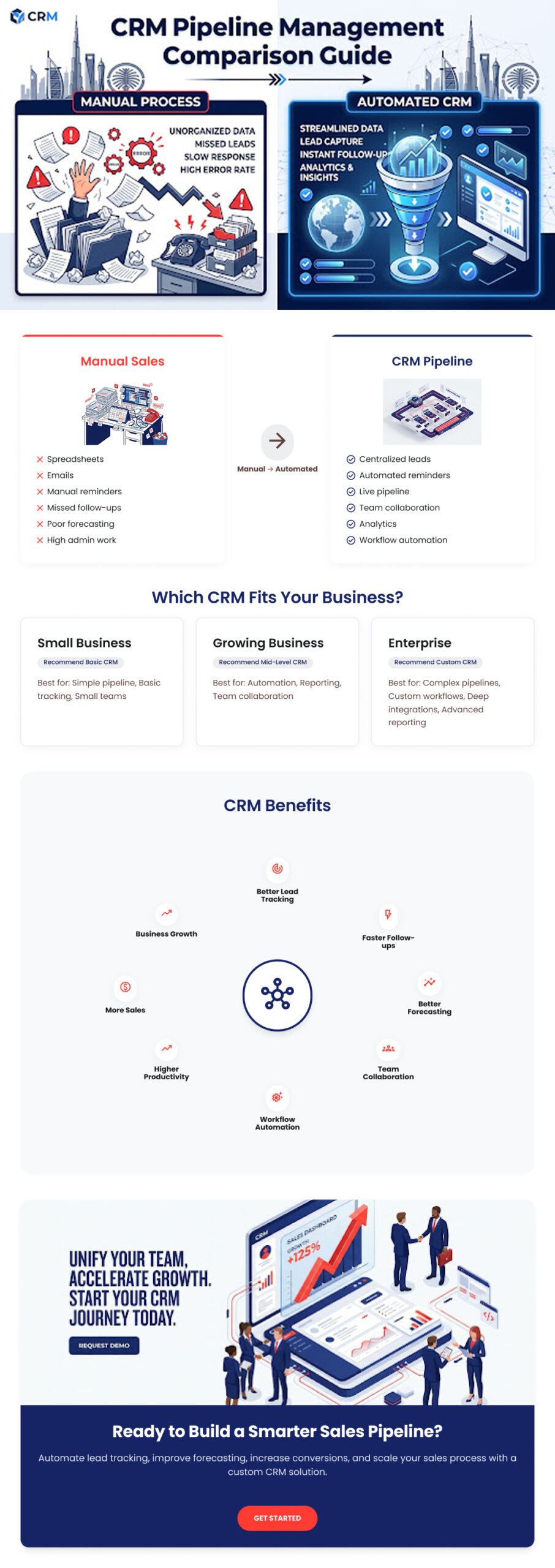
Based on Business Size
Business size often determines the level of functionality required.
- Small businesses: Basic CRM solutions
- SMEs: Mid-level CRM platforms
- Enterprises: Advanced or custom CRM systems
Based on Sales Complexity
The complexity of your sales process should influence your CRM choice.
- Simple sales processes: Standard CRM
- Complex B2B sales cycles: Advanced or custom CRM
Based on Automation Needs
Businesses with higher automation requirements typically need more advanced solutions.
- Low automation needs: Basic CRM
- High automation needs: Enterprise or custom CRM
Why CRM Systems Are Essential for Modern Sales Teams
Sales teams need more than contact management to stay competitive. CRM systems provide the visibility, automation, and insights required to manage growing pipelines and deliver better customer experiences.
- Increased competition makes it important to track opportunities efficiently and respond to leads before competitors do.
- Faster response times help sales teams engage prospects quickly and improve the chances of conversion.
- Data-driven insights allow businesses to make better sales decisions and forecast performance more accurately.
- Personalized customer interactions help build stronger relationships and improve the overall buying experience.
Ready to Optimize Your Sales Pipeline with a Custom CRM?
Let’s help you design a CRM system that streamlines your sales process, improves visibility, and boosts conversions with complete automation and control.
FAQ
What is sales pipeline management in CRM?
Sales pipeline management in CRM is the process of tracking leads through each stage of the sales journey, from first contact to closing, using a centralized system.
How does CRM improve sales performance?
CRM improves sales performance by organizing leads, automating follow-ups, and providing real-time visibility into deal progress, which helps teams close more deals efficiently.
Which CRM is best for sales pipeline management?
The best CRM depends on business needs. Basic CRMs work for small teams, while enterprise or custom CRM solutions are better for complex sales processes.
Can CRM automate sales follow-ups?
Yes, CRM systems can automate follow-up emails, reminders, task creation, and scheduled communications to ensure no lead is missed.
Why is pipeline management important in sales?
Pipeline management is important because it helps businesses track opportunities, improve forecasting accuracy, and maintain a structured and predictable sales process.