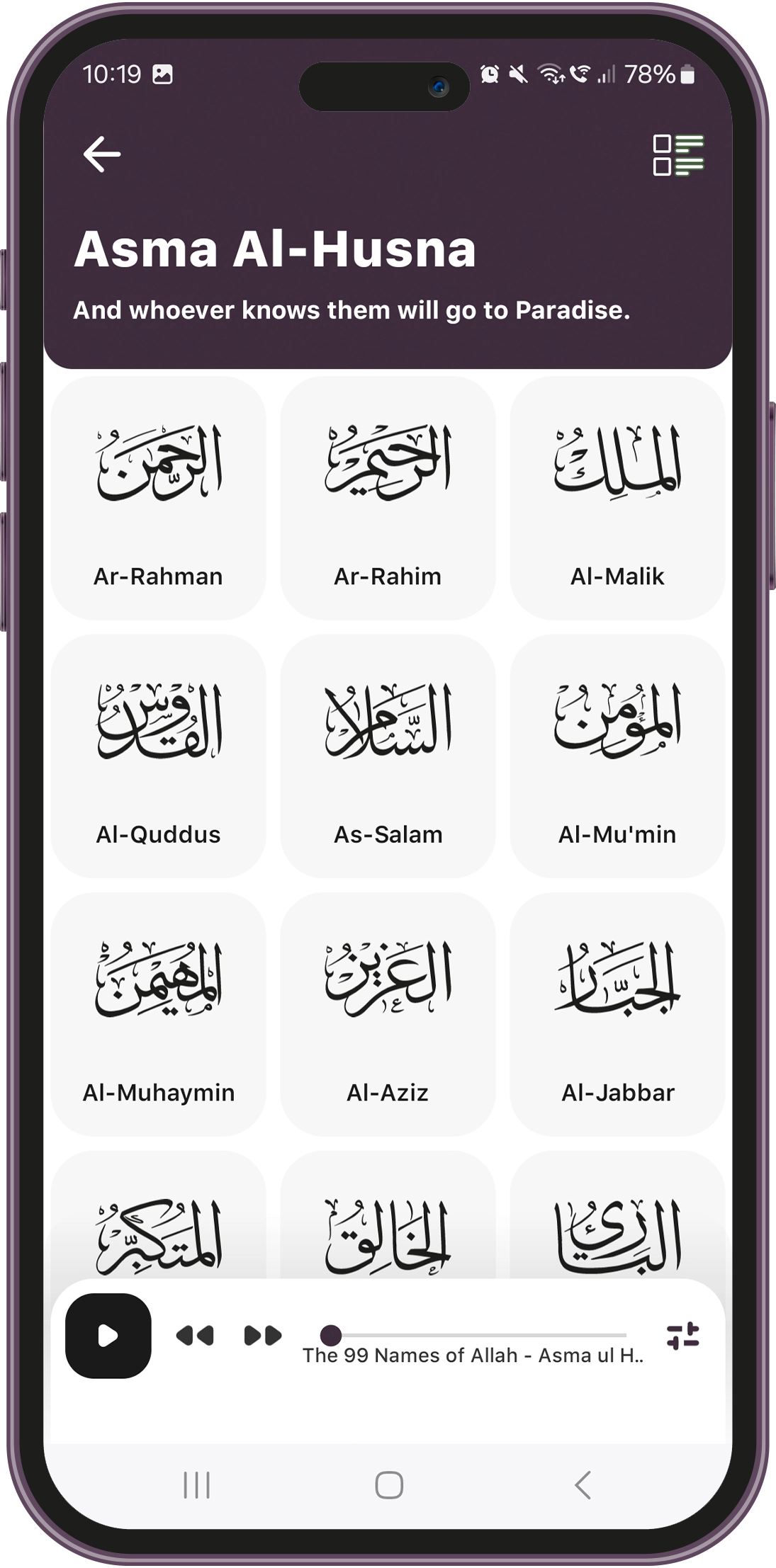
99 Names of Allah – Educational Islamic Mobile App
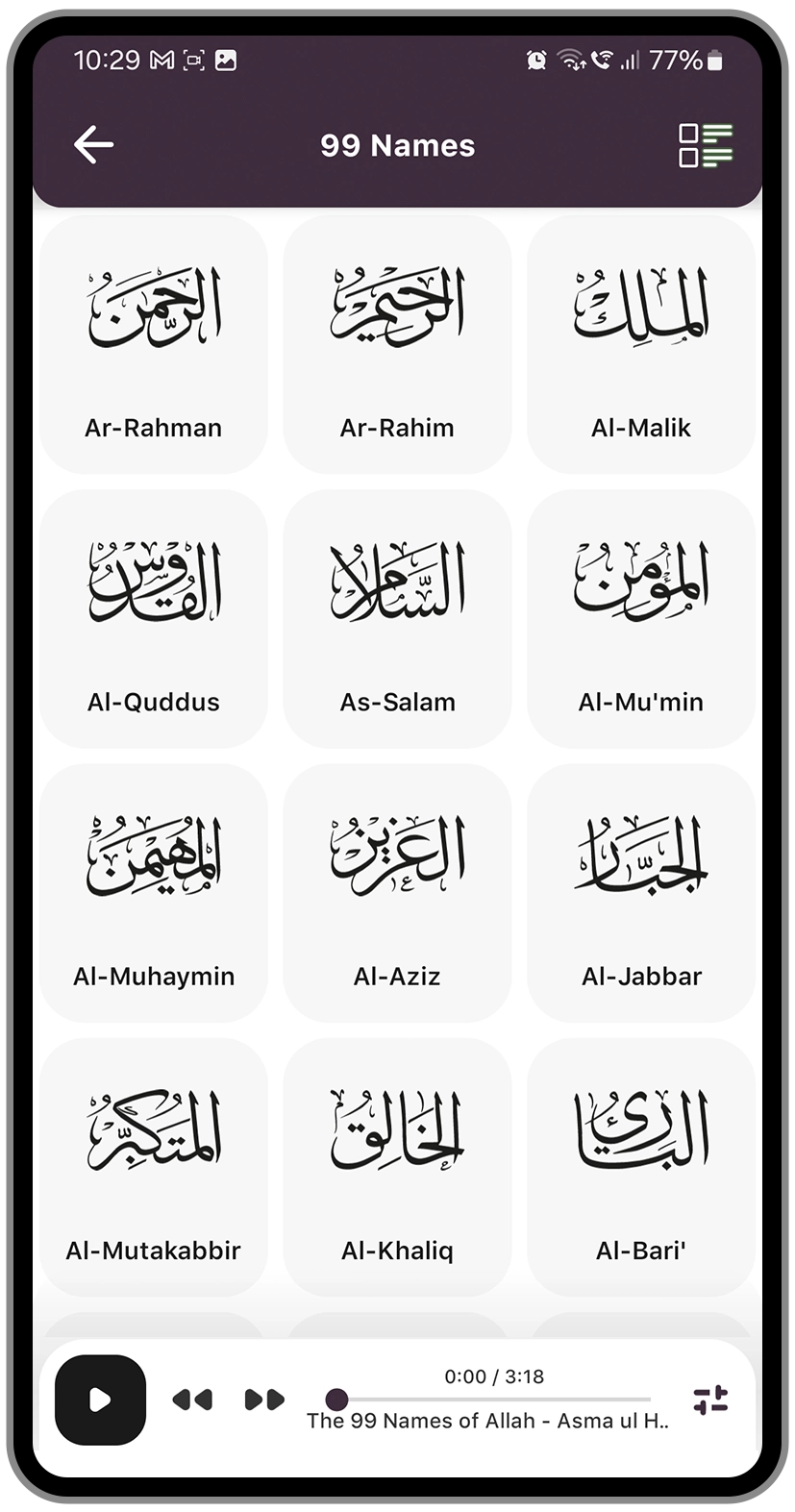
Designed and developed a high-end 99 Names of Allah app featuring synchronized audio playback, auto-scrolling, meanings with Quranic references, customizable learning settings, and custom-built UI for list & grid views.
Overview – 99 Names of Allah App
The 99 Names of Allah App (Asma Al-Husna) required a design and app framework that could offer users an interactive, educational, and spiritually enriching experience. It required:
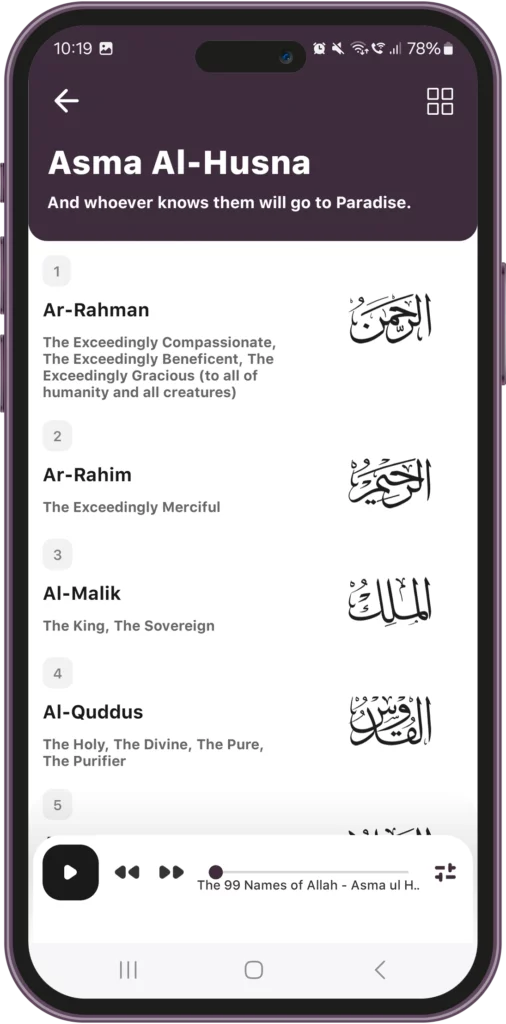
- A structured layout with List & Grid views for flexible browsing.
- Audio playback with synchronized highlighting and auto-scrolling.
- Detailed explanations of each name with Quranic & Hadith references.
- Interactive controls, including playback, sharing, and reciter selection.
- Customizable settings for personalized learning preferences.
Unlike static Islamic content apps, this app was required to provide highly responsive app interactivity, intuitive navigation, and a user-centric experience across iOS and Android.
GET IT ON
Services
UI/UX Design
Mobile App Development
RESTful API Development
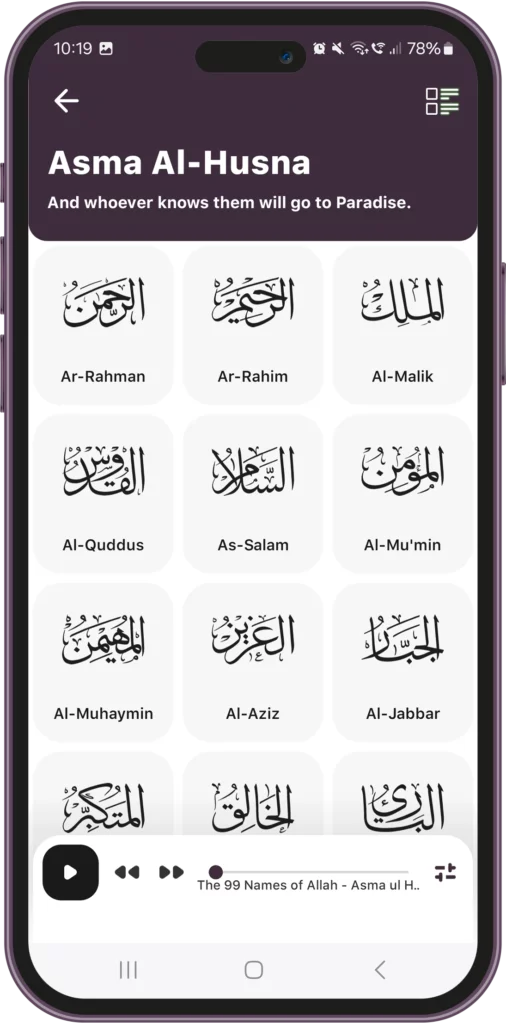
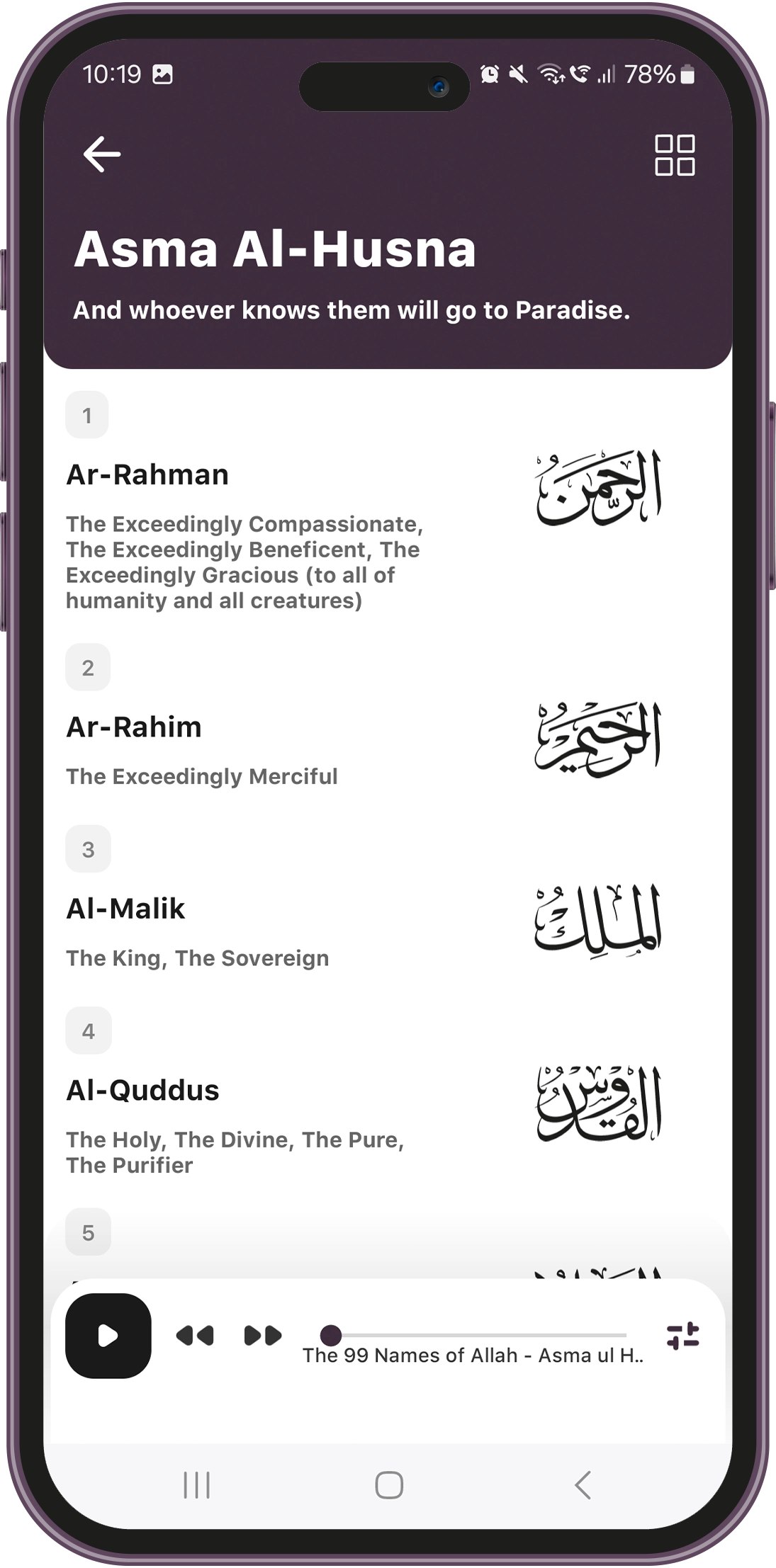
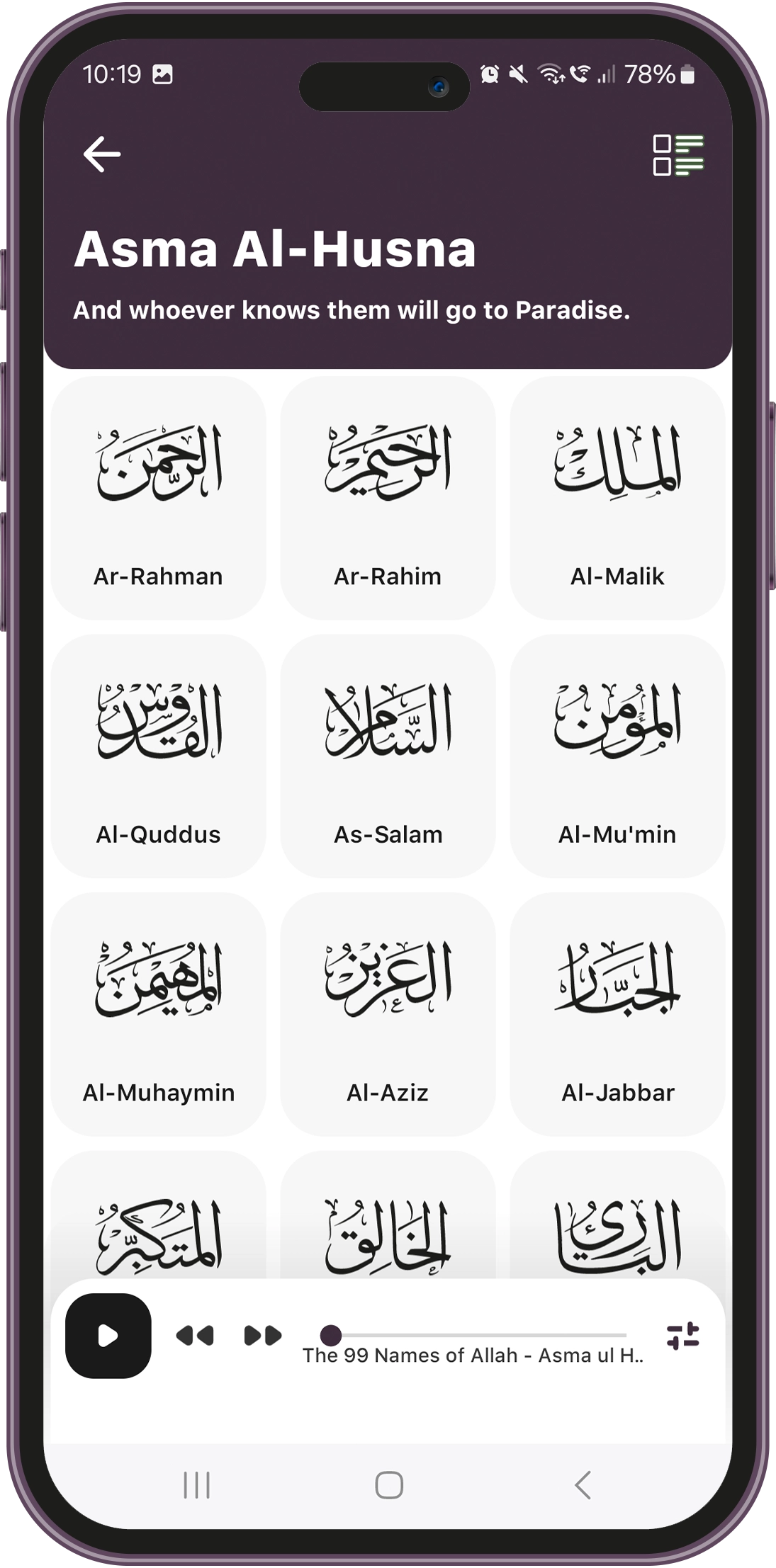
Ensuring a Smooth UI/UX for Different Layouts
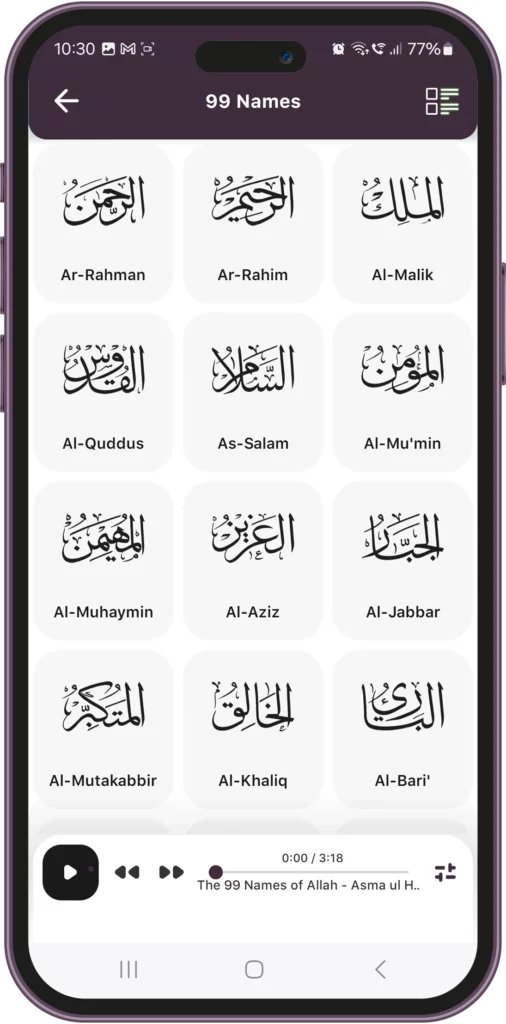
Balancing both List View and Grid View without UI inconsistencies or performance lag was critical. The app needed to support quick transitions between layouts.
Our Solution
- Dynamic UI components were used to ensure that views could switch instantly without reloading data.
- Lazy loading & efficient rendering techniques optimized performance, keeping scrolling smooth.
Impact on KPIs
- No stuttering or delays when toggling views.
- A visually appealing experience that adapts to different user preferences.
Interactive Audio Player for Optimal Cross-Device Experience
Users need to navigate the app while the audio continues playing in the background.
Our Solution
- Developed a persistent mini audio player that remains accessible while browsing.
- Enabled progress tracking & quick navigation so users could jump between names quickly.
Impact on KPIs
- Users enjoyed a distraction-free, immersive experience.
- Allowed flexible multitasking, keeping engagement high.
Customizable Playback & Learning Preferences
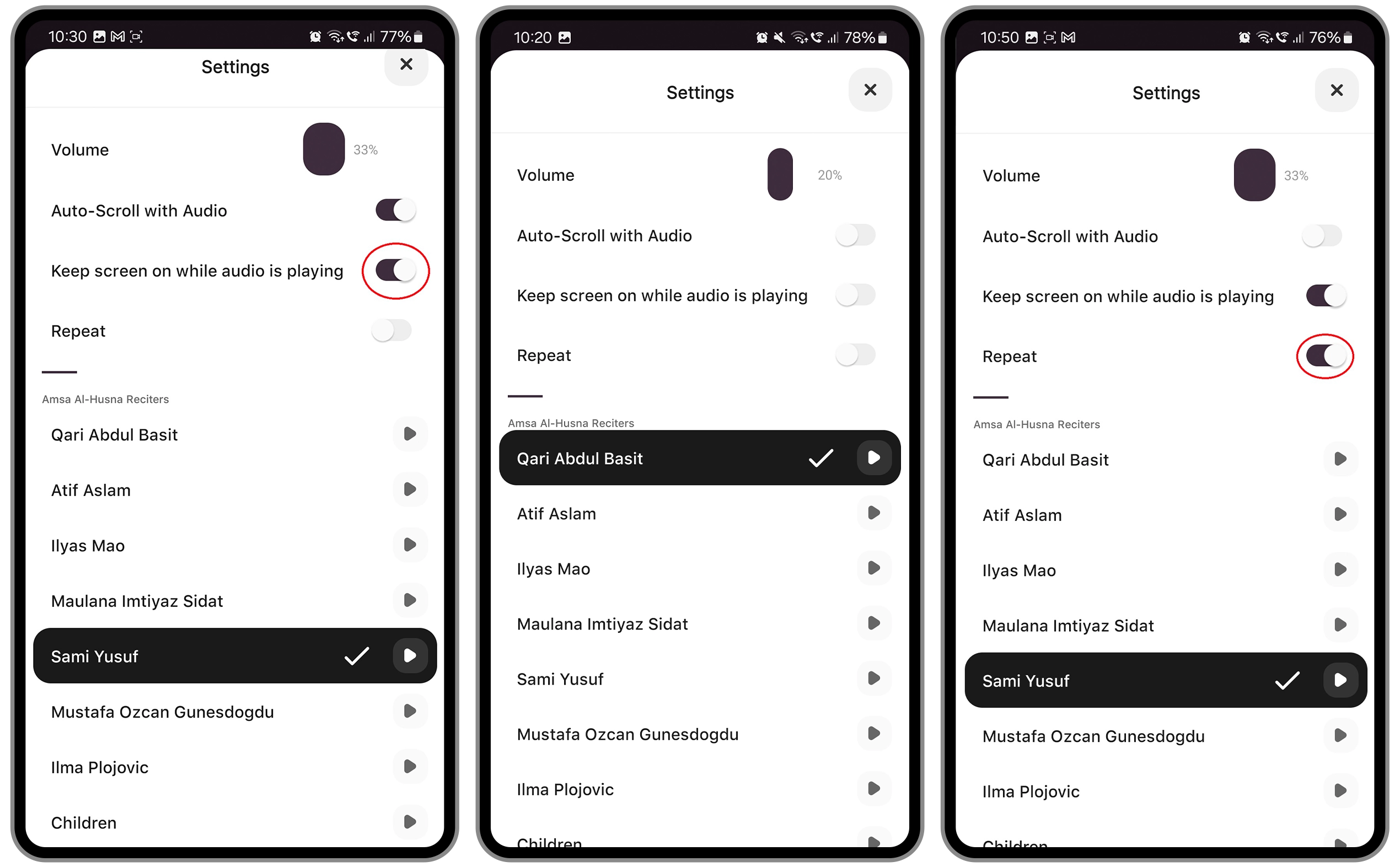
Different users have different learning styles, requiring options for reciter selection, auto-scroll settings, and playback customization.
Our Solution
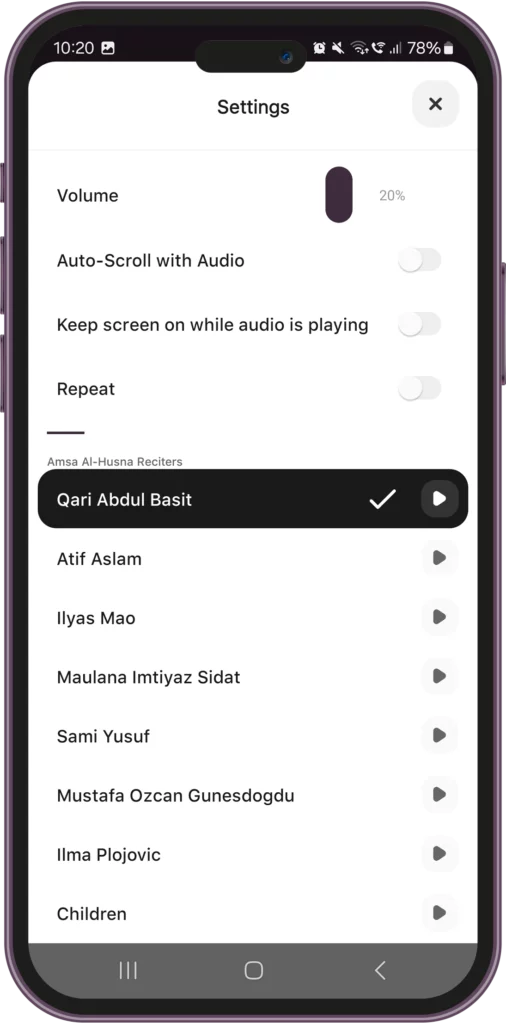
We provided customizable playback options by adding a user settings panel that allows:
- Options to choose from a list of reciters.
- Repeat Mode for continuous recitation and reinforcement.
- Keep screen on option to prevent interruptions during recitation.
Impact on KPIs
- Users could tailor their learning experience for maximum comfort.
- Encouraged longer engagement through personalized controls.
High-Quality Audio Streaming & Playback Controls
Delivering high-quality audio while ensuring instant playback, low latency, and user controls was a technical challenge.
Our Solution
- Implemented buffered streaming to avoid lag between name transitions.
- Enabled offline audio caching, allowing playback even without an internet connection.
- Integrated persistent audio controls, letting users pause, skip, and seek audio without leaving the module.
Impact on KPIs
- Instant playback with no delays.
- Users could memorize names at their own pace with custom playback speeds.
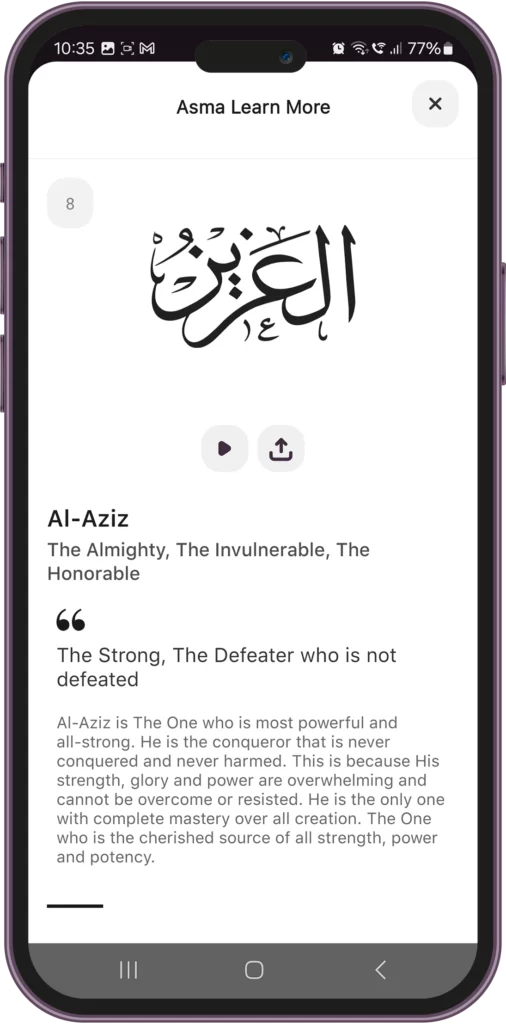
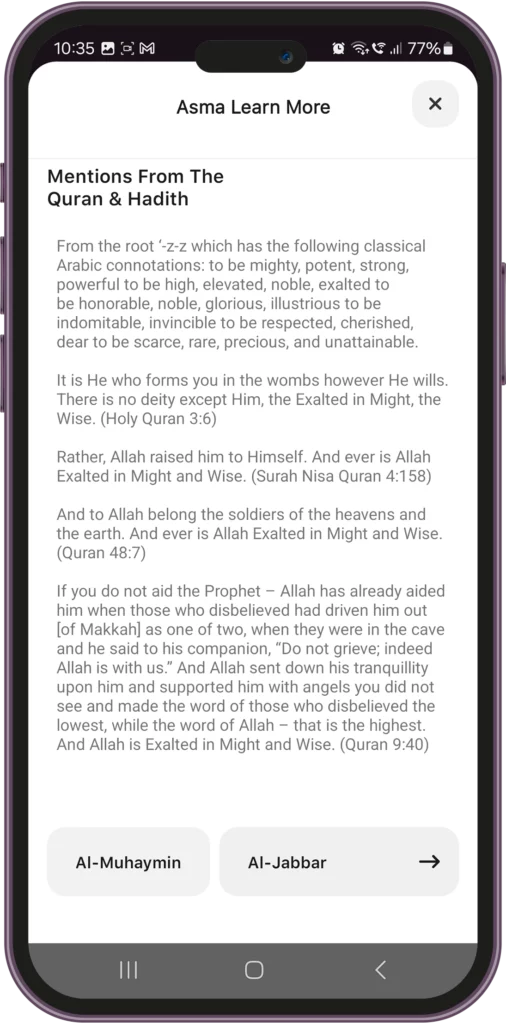
Asma ul Husna Meanings & Explanations with Quranic References
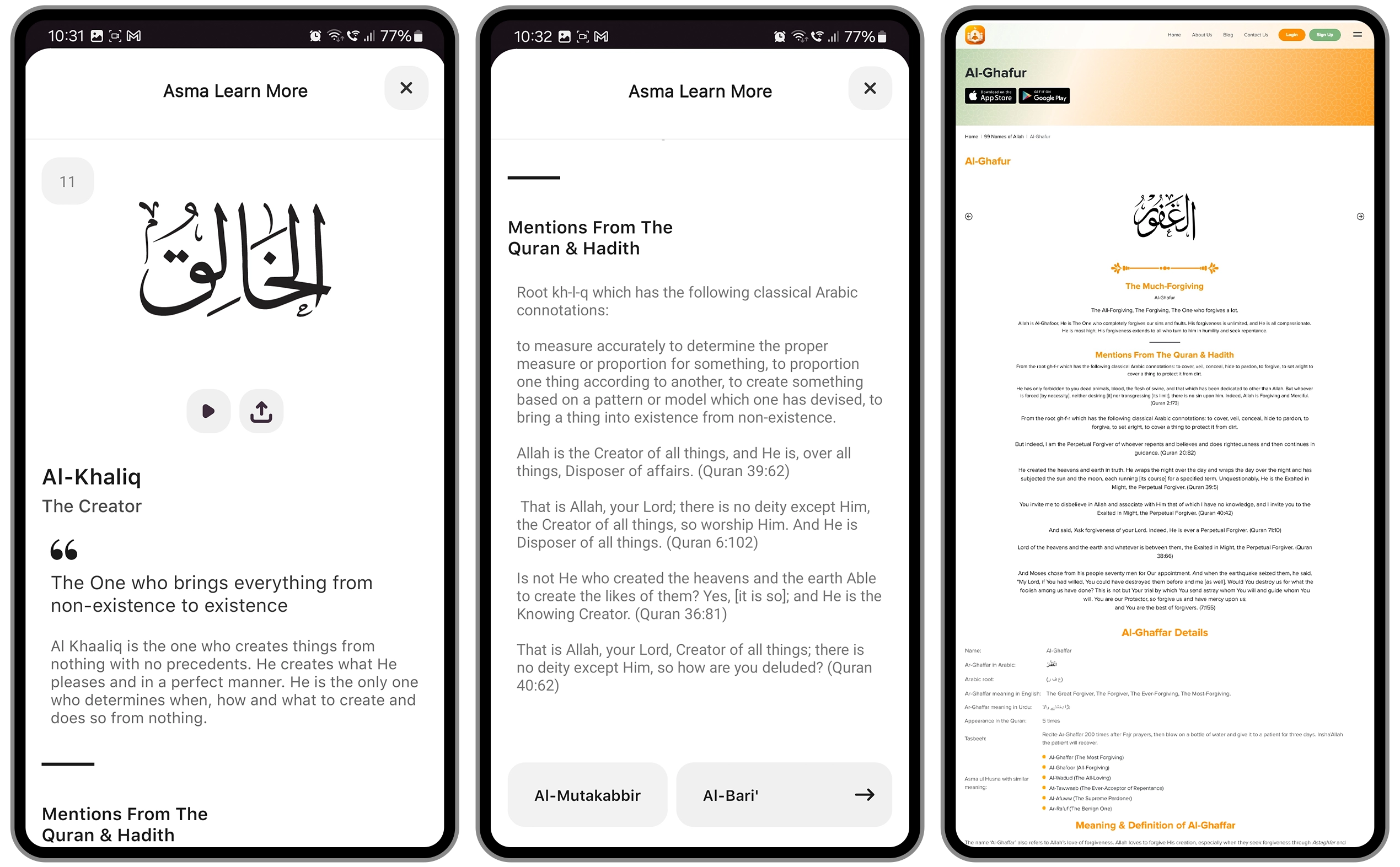
Ensuring that each name’s meaning, explanation, and scriptural references were displayed in an organized and user-friendly manner.
Our Solution
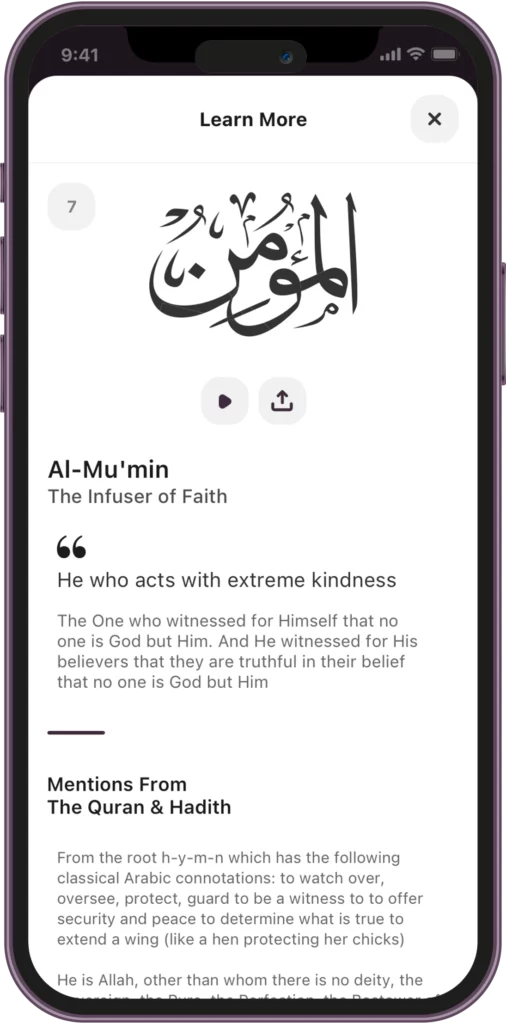
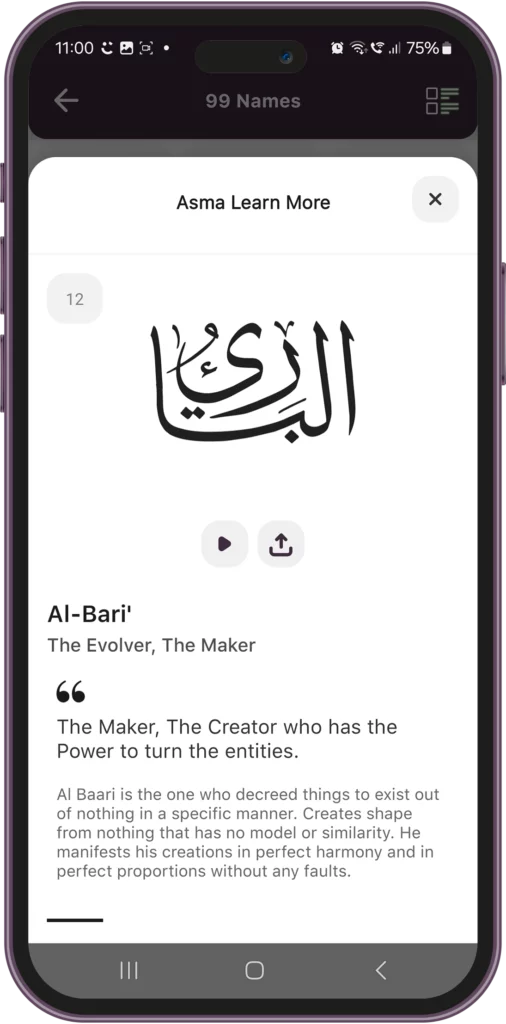
We designed a detailed view screen for each Ism (Name of Allah) that includes:
- Arabic calligraphy for spiritual aesthetics.
- Transliteration for accurate pronunciation.
- Meaning and explanation of each name with reference to Quran & Hadith.
Impact on KPIs
- Users could study each name in detail while maintaining an intuitive UI.
- Made Islamic knowledge accessible to a global audience with translations.
Synchronizing Audio With Auto-Scrolling
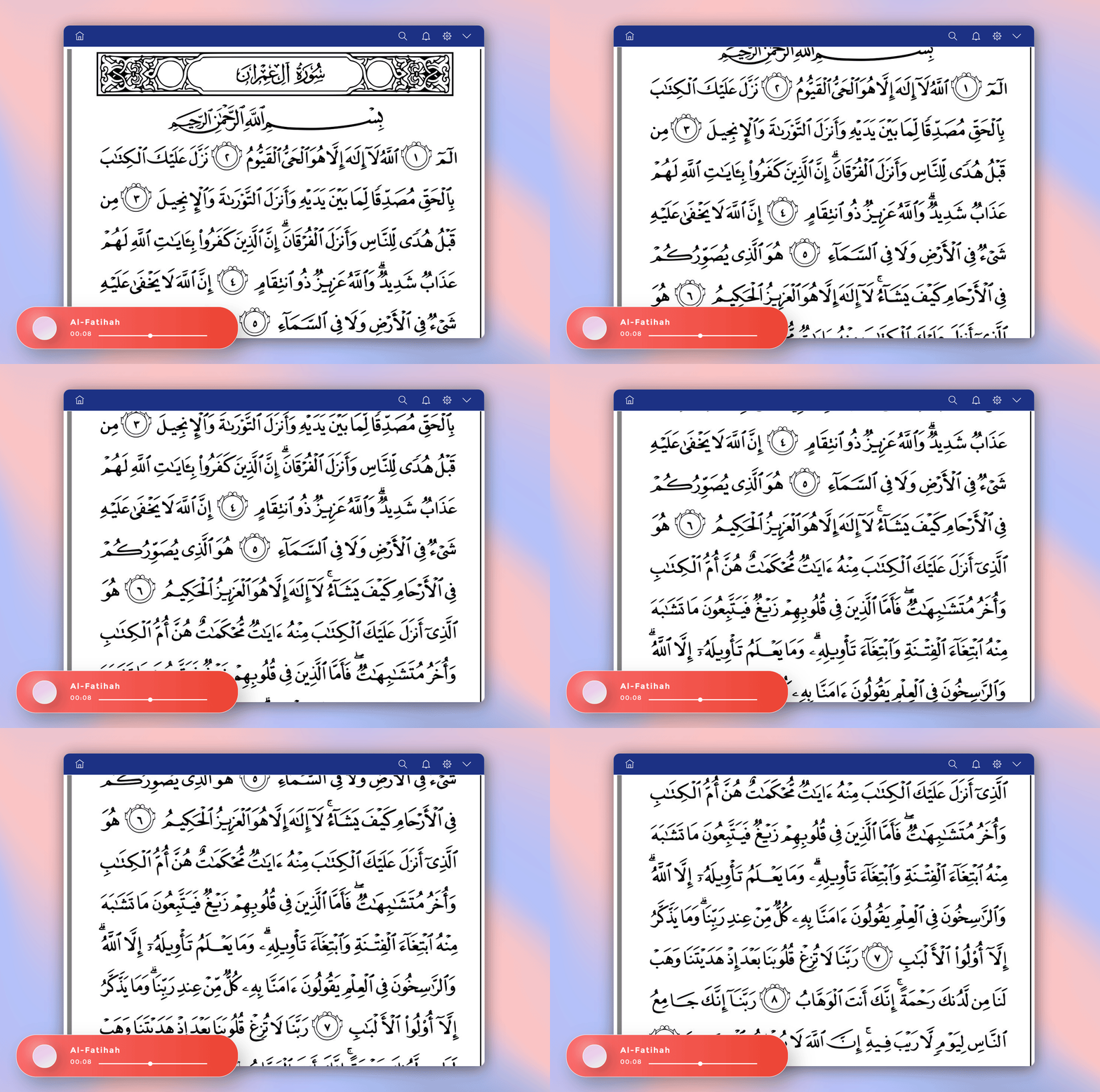
Ensuring the name currently being recited is highlighted and automatically scrolled into view was complex due to:
- Different device resolutions affect scroll positioning.
- Audio buffering delays causing desynchronization.
Our Solution
- Event-driven synchronization was implemented, where the app listens to audio progress events and dynamically adjusts scrolling.
- Time-stamped cues mapped each name’s audio position to its exact location on screen.
- Adaptive scroll behavior ensured names stayed in view without abrupt jumps.
Impact on KPIs
- Users experienced fluid scrolling that perfectly synced with recitation.
- Eliminated lag, making memorization more intuitive and engaging.
Why Our Approach Works for Islamic Learning Apps?
- Our custom-designed UI, coupled with hand-picked custom templates, ensures an intuitive and user-centric learning experience.
- Optimized audio integrations provide smooth, synchronized recitations.
- Every touch point offers a personalized user experience, adapting to individual learning preferences.
- Finally, all our apps are built on scalable infrastructure and are capable of supporting millions of global users.

We design performance-driven apps that guarantee downloads.
-
17+ Years
Industry Experience
-
517+
Happy Clients
-
90+
Team Strength
-
1+ Million
Work Hours
Please fill the form below to get started.
Have a project in mind?
Let's talk about it.







© 2026 DynamoLogic Solutions All rights reserved.