Many businesses continue using legacy software because it still works. However, outdated
systems lead to higher maintenance costs, security risks, slower performance, and limited
scalability, making it harder for businesses to grow.
The challenge is knowing when maintaining an existing system costs more than replacing
it. While replacing software too early can waste resources, waiting too long can lead to
downtime, compliance issues, and lost opportunities. In many cases, custom software
development offers a more secure, scalable, and long-term solution.
This guide explains the key signs that it's time to replace legacy software, the risks of
delaying modernization, and how to plan a successful transition. By the end, you'll know
when replacing your software is the right business decision.
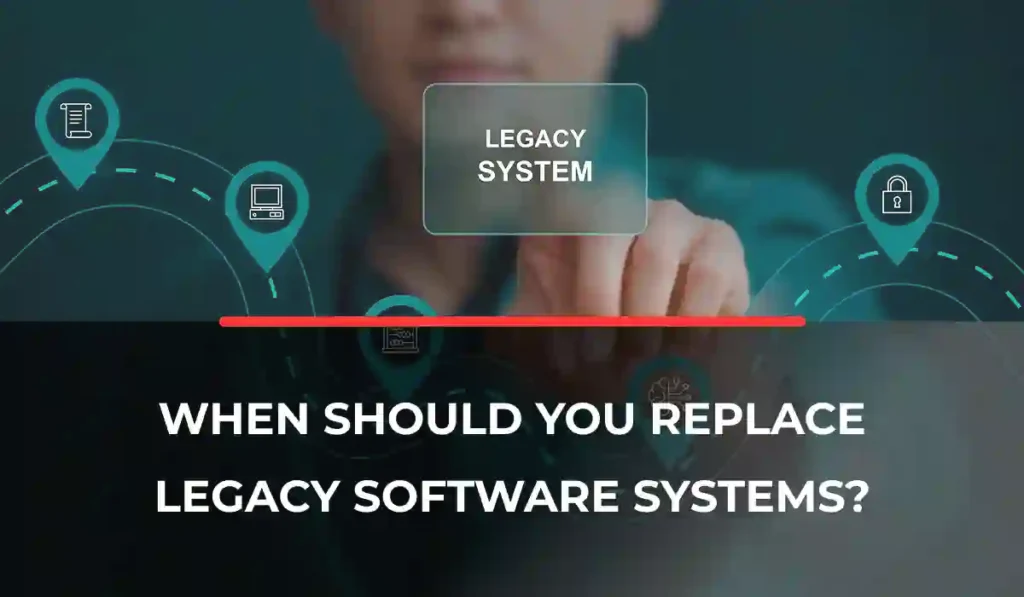
When Should You Replace Legacy Software Systems?
Many businesses continue using legacy software because it still works. However, outdated systems lead to higher maintenance costs, security risks, slower performance, and limited scalability, making it harder for businesses to grow.
The challenge is knowing when maintaining an existing system costs more than replacing it. While replacing software too early can waste resources, waiting too long can lead to downtime, compliance issues, and lost opportunities. In many cases, custom software development offers a more secure, scalable, and long-term solution.
This guide explains the key signs that it’s time to replace legacy software, the risks of delaying modernization, and how to plan a successful transition. By the end, you’ll know when replacing your software is the right business decision.
What Is Legacy Software?
Legacy software is an older application or system that businesses still use to support important daily operations. While it may continue to perform its core functions, it is built using outdated technologies or programming languages that make it harder to maintain, secure, and upgrade.
Many legacy systems were originally designed as on-premises solutions, although some older cloud-based applications can also be considered legacy if they no longer meet modern business needs. As businesses grow, these systems may struggle to support new technologies, handle increasing workloads, or integrate with newer software.
Despite these limitations, legacy software remains critical to business operations. Many organizations continue relying on systems such as Enterprise Resource Planning (ERP), Customer Relationship Management (CRM), HR software, inventory management systems, accounting software, and manufacturing management solutions because they still support essential processes.
Why Businesses Continue Using Legacy Systems
Many businesses keep using legacy software because replacing it requires a significant investment of time, money, and resources. If the system continues to perform its main functions, organizations often delay modernization to avoid disrupting daily operations.
Another common reason is employee familiarity. Staff members are already trained on the existing system, and switching to new software may require additional training and temporary productivity loss. Some legacy systems also include custom-built features that support unique business processes and may not be available in off-the-shelf solutions.
Legacy Software vs Modern Software
While legacy software can still support daily operations, modern software is designed to meet today’s business needs with better performance, security, and flexibility.
| Cloud Capabilities | Mostly on-premises or limited cloud support | Built for cloud and hybrid environments |
|---|---|---|
| Security | Fewer updates and higher security risks | Regular updates and advanced security features |
| User Experience | Outdated interface and navigation | Modern, intuitive, and mobile-friendly design |
| Maintenance | High maintenance costs and technical debt | Easier maintenance with automatic updates |
| Integration | Limited integration with modern tools | API-based integration with business applications |
Why Replacing Legacy Software Matters
Replacing legacy software is about more than upgrading technology; it helps businesses improve efficiency, strengthen security, reduce costs, and support future growth. Modern systems are built to handle changing business needs to make it easier to stay competitive and deliver better experiences for both employees and customers.
Increasing Operational Efficiency
Modern software streamlines business processes through automation, faster workflows, and reduced manual tasks. It also improves collaboration by giving teams real-time access to shared data and tools, which helps employees work more efficiently.
Improved Security
Legacy systems miss critical security updates, making them more vulnerable to cyber threats. Modern software includes regular security patches, stronger authentication, data encryption, advanced threat protection, and features that help businesses meet compliance requirements.
Better Customer Experience
Modern applications improve customer satisfaction with faster response times, self-service portals, mobile accessibility, and seamless experiences across multiple channels. This allows businesses to serve customers more efficiently and consistently.
Lower Long-Term Costs
Although replacing legacy software requires an upfront investment, it reduces long-term expenses by lowering maintenance costs, reducing infrastructure requirements, improving employee productivity, and minimizing technical debt that becomes more expensive over time.
Signs It’s Time to Replace Legacy Software
Not every legacy system needs to be replaced immediately, but certain warning signs indicate that maintaining it may be costing your business more than it’s worth. If your software is slowing down operations, increasing risks, or limiting growth, it may be time to consider a replacement.
Rising Maintenance Costs
If your team spends more time fixing bugs than improving the system, maintenance costs can quickly add up. Expensive vendor support, outdated hardware, and ongoing repairs are strong signs that replacing the software may be more cost-effective.
Security Vulnerabilities
Unsupported software no longer receives security updates, leaving your business exposed to cyber threats. Missing patches, outdated security features, and compliance risks can put sensitive business and customer data at risk.
Poor Performance
Slow loading times, frequent downtime, system crashes, and unreliable performance can reduce employee productivity and negatively affect customer experience. These issues often become more common as legacy systems age.
Limited Scalability
As your business grows, your software should be able to grow with it. If your system struggles to support more users, larger amounts of data, higher transaction volumes, or business expansion, it may no longer meet your needs.
Poor User Experience
An outdated interface, complicated navigation, long employee training times, and low user adoption can reduce productivity. Modern software offers a more intuitive experience that helps employees work more efficiently.
Integration Challenges
Legacy software struggles to connect with cloud services, APIs, modern business applications, and third-party tools. Poor integration can lead to manual work, data silos, and inefficient workflows.
Vendor No Longer Supports the Software
If the software has reached its end of life, you may no longer receive security updates, bug fixes, or technical support. Running unsupported software increases both operational and security risks.
Business Requirements Have Changed
Business needs evolve over time. If your current software cannot support digital transformation, remote work, automation, AI-powered features, or advanced data analytics, it may be holding your business back instead of supporting future growth.
Legacy software is still common across many organizations. According to a survey of over 500 U.S. IT professionals, 62% of businesses still rely on legacy systems, while 43% cite security vulnerabilities as a major concern, highlighting the growing need for software modernization.
Risks of Continuing to Use Legacy Software
Delaying legacy software replacement may seem like a way to save money, but it often creates bigger challenges over time. As technology and business needs evolve, outdated systems can increase risks, reduce efficiency, and make it harder to stay competitive.
Security Risks
Legacy software lacks the latest security updates, making it more vulnerable to cyberattacks, data breaches, and ransomware. Unsupported systems also increase the risk of exposing sensitive business and customer information.
Compliance Violations
Many industries must meet strict data security and privacy regulations. Older systems may not support current compliance requirements, increasing the risk of penalties, legal issues, and reputational damage.
Increased Downtime
Outdated software is more likely to experience crashes, slow performance, and unexpected failures. Frequent downtime disrupts daily operations, delays projects, and affects customer service.
High Operational Costs
Maintaining legacy systems often requires expensive hardware, ongoing repairs, and specialized support. These costs can continue to grow, making modernization a more cost-effective long-term investment.
Poor Customer Satisfaction
Slow systems and service delays can negatively affect the customer experience. Modern customers expect fast, reliable, and seamless interactions across every touchpoint.
Reduced Employee Productivity
Employees lose valuable time dealing with slow software, manual processes, and outdated interfaces, which reduces efficiency and limits overall productivity.
Competitive Disadvantage
Businesses that continue relying on legacy software may struggle to adopt automation, cloud technologies, AI, and advanced analytics. Delaying modernization can slow innovation, limit growth opportunities, and make it harder to compete with organizations using modern software solutions.
Replace, Upgrade, or Integrate? How to Decide
Not every legacy system needs a complete replacement. Depending on its condition and your business goals, upgrading or integrating your existing software may be enough. The right choice depends on factors such as system performance, security, scalability, and long-term costs.
When an Upgrade Is Enough
Upgrading is a good option when your software is still supported, has a stable architecture, and only needs minor improvements. Adding new features, improving performance, or updating the user interface can often extend the system’s lifespan without a full replacement.
When Integration Makes Sense
If your existing software still performs well but lacks modern functionality, integration can be the right solution. Using APIs or middleware allows you to connect cloud services, third-party applications, and modern business tools while extending the life of your current system.
When Complete Replacement Is the Better Choice
Replacing your software is usually the best option when the system is no longer supported, has high technical debt, poses serious security risks, or cannot keep up with your business growth. A modern solution provides better scalability, stronger security, and greater flexibility for the future.
| Business Situation | Upgrade | Integrate | Replace |
|---|---|---|---|
| Minor feature gaps | ✅ | ❌ | ❌ |
| Software is still supported. | ✅ | ✅ | ❌ |
| Need to connect modern tools. | ❌ | ✅ | ❌ |
| Unsupported or end-of-life software | ❌ | ❌ | ✅ |
| High security risks | ❌ | ❌ | ✅ |
| Limited scalability for business growth | ❌ | ❌ | ✅ |
| High maintenance costs and technical debt | ❌ | ❌ | ✅ |
Benefits of Replacing Legacy Software
Replacing legacy software helps businesses improve efficiency, reduce risks, and prepare for future growth. Modern systems are designed to support changing business needs, which makes it easier to scale operations, adopt new technologies, and deliver better experiences for employees and customers.
- Increase productivity by automating repetitive tasks, streamlining workflows, and reducing manual work so employees can focus on more valuable activities.
- Scale your business more easily by supporting additional users, larger datasets, and higher transaction volumes.
- Strengthen security with regular software updates, advanced authentication, data encryption, and better protection against modern cyber threats.
- Improve the user experience through faster performance, intuitive interfaces, and mobile-friendly access that boost employee adoption and customer satisfaction.
- Become cloud-ready with flexible infrastructure, remote accessibility, automatic updates, and lower dependence on on-premises hardware.
- Accelerate innovation by adopting technologies such as automation, artificial intelligence, and advanced analytics without the limitations of outdated systems.
- Gain better data visibility with centralized information and real-time reporting, helping teams make faster and more informed business decisions.
- Simplify system integrations by connecting easily with APIs, cloud platforms, third-party applications, and other modern business tools.
Not sure whether your legacy software needs an upgrade or a complete replacement?
Our software modernization experts assess your existing systems, identify business risks, and recommend the most cost-effective modernization strategy.
Challenges of Replacing Legacy Software
Replacing legacy software can bring significant long-term benefits, but the process also comes with challenges. With proper planning, testing, and communication, businesses can reduce risks and ensure a smooth transition to a modern system.
Data Migration
Moving data from an old system to a new one can be complex, especially if the data is outdated or inconsistent. Businesses should clean, validate, and back up their data before migration and perform thorough testing to ensure accuracy.
Employee Training
Employees may need time to adapt to new software and workflows. Providing hands-on training, clear documentation, and ongoing support can help improve adoption and reduce resistance to change.
Downtime Risks
System downtime during implementation can disrupt daily operations. Using a phased rollout, scheduling deployments during off-peak hours, and testing the system before launch can minimize business interruptions.
Budget Constraints
Replacing legacy software requires an upfront investment, which can be challenging for some organizations. Defining project priorities, planning a realistic budget, and implementing the solution in phases can help manage costs more effectively.
Integration with Existing Systems
New software must often work alongside existing applications and business processes. Choosing solutions with strong API support and planning integrations early in the project helps reduce compatibility issues.
Change Management
Employees and stakeholders may be hesitant to adopt new systems. Communicating the benefits early, involving key users in the project, and gathering regular feedback can make the transition smoother and increase user acceptance.
How to Successfully Replace Legacy Software
A successful legacy software replacement requires careful planning and execution. Following a structured approach helps reduce risks, minimize disruptions, and ensure the new system supports your business goals for the long term.
Assess Existing Systems
Start by evaluating your current software through a technical audit, business process review, and performance assessment. It helps identify system limitations, maintenance challenges, and areas that need improvement.
Define Business Goals
Clearly outline what you want to achieve with the new system, whether it’s improving efficiency, increasing scalability, strengthening security, or delivering a better customer experience. These goals should guide every decision throughout the project.
Prioritize Features
Identify the features your business needs today while considering future growth. Focus on must-have functionality, gather user feedback, and include requirements that support long-term scalability.
Select the Right Technology Stack
Choose technologies that support your current and future business needs. A cloud-first architecture, secure APIs, strong security features, and scalable infrastructure provide a solid foundation for long-term success.
Plan Data Migration
Develop a detailed migration plan that includes data cleansing, migration testing, and validation. This helps ensure data is transferred accurately while reducing the risk of errors or data loss.
Test Before Full Deployment
Before launching the new system across the organization, perform pilot testing, user acceptance testing, and performance testing. Identifying and resolving issues early helps ensure a smoother rollout.
Train Employees
Provide employees with clear documentation, hands-on workshops, and ongoing support to help them adapt quickly. Proper training improves user adoption and allows teams to get the most value from the new software.
Most organizations prefer to hire a trusted software development company to upgrade their legacy software. Read the details about evaluating the right company for this role here: How to Evaluate a Custom Software Development Vendor.
Legacy Software Replacement vs Software Modernization
Businesses don’t always need to replace their legacy software from scratch. In some cases, modernizing the existing system is enough to improve performance and extend its lifespan. The right approach depends on your current software, business goals, budget, and long-term growth plans.
Complete Replacement
Complete replacement involves building or implementing an entirely new system to replace the existing one.
Advantages
- Eliminates technical debt
- Improves security and scalability
- Supports modern technologies and business needs
- Delivers a better user experience
Disadvantages
- Higher upfront cost
- Longer implementation timeline
- Requires data migration and employee training
Best suited for: Unsupported software, high maintenance costs, major security risks, or systems that can no longer support business growth.
Software Modernization
Software modernization improves an existing system without replacing it entirely. Common approaches include rehosting (moving to the cloud), replatforming (upgrading the platform), refactoring (improving the codebase), and API enablement (connecting legacy software with modern applications).
Advantages
- Lower cost than full replacement
- Faster implementation
- Extends the life of existing software
- Reduces business disruption
Disadvantages
- Some legacy limitations may remain
- May require additional modernization in the future
- Not suitable for severely outdated systems
Best suited for: Software that is still supported, has a stable architecture, and only needs performance improvements, cloud capabilities, or better integrations.
| Features | Complete Replacement | Software Modernization |
|---|---|---|
| Approach | Build or implement a new system | Improve the existing system |
| Cost | Higher upfront investment | Lower initial cost |
| Implementation Time | Longer | Shorter |
| Business Disruption | Higher | Lower |
| Security Improvements | Excellent | Moderate to High |
| Scalability | Excellent | Depends on the existing system |
| Best For | Outdated, unsupported, or high-risk systems | Supported systems that need upgrades or cloud capabilities |
Industries That Benefit Most from Legacy Software Replacement
Legacy software affects organizations across every industry, but sectors with high security, compliance, and operational demands often see the greatest benefits from modernization.
- Healthcare: Improves patient data management, security, compliance, and system integration.
- Financial Services: Strengthens cybersecurity, supports compliance, and enables faster, more reliable transactions.
- Manufacturing: Increases production efficiency, reduces downtime, and improves inventory management.
- Logistics & Supply Chain: Enhances shipment tracking, warehouse operations, and supply chain visibility.
- Retail & eCommerce: Supports omnichannel sales, faster order processing, and better customer experiences.
- Government: Improves public service delivery, data security, and operational efficiency.
How Much Does Legacy Software Replacement Cost?
The cost of replacing legacy software depends on the size and complexity of your existing system. Businesses with extensive integrations, strict compliance requirements, and large volumes of data typically require a higher investment than smaller applications.
Factors That Affect Cost
The final cost of a legacy software replacement project depends on several factors, including:
- Software complexity and overall project scope
- Number of users and user roles
- Data migration requirements
- Third-party integrations and APIs
- Industry compliance and security requirements
- Custom features and business workflows
- Project timeline and implementation approach
Typical Cost Ranges (UAE)
The table below shows estimated UAE pricing for replacing legacy software. Actual costs vary depending on business requirements and technical complexity.
| Project Type | Estimated Cost (AED) | Estimated Cost (AED) |
|---|---|---|
| Small business application | AED 50,000 – 150,000 | 2 to 4 months |
| Mid-sized business system | AED 150,000 – 500,000 | 4 to 8 months |
| Enterprise software modernization | AED 500,000 – 2,000,000+ | 8 to 18+ months |
Choosing the Right Software Modernization Partner
Selecting the right software modernization partner is just as important as choosing the right technology. An experienced development company can reduce project risks, ensure a smoother migration, and deliver a solution that supports your long-term business goals and maximizes ROI.
Experience with Legacy Systems
Choose a partner with proven experience in modernizing legacy applications across different technologies and industries. This helps identify potential risks early and ensures a smoother transition.
Technical Expertise
Look for a team with expertise in cloud technologies, modern development frameworks, APIs, cybersecurity, and scalable system architecture to build a future-ready solution.
Industry Knowledge
A partner that understands your industry can recommend solutions that align with your business processes, regulatory requirements, and operational challenges.
Migration Planning
Successful modernization requires a well-defined migration strategy that minimizes downtime, protects business data, and ensures continuity throughout the transition.
Security & Compliance
Your development partner should follow security best practices and build solutions that meet relevant compliance standards while protecting sensitive business data.
Post-Launch Support
Modernization doesn’t end after deployment. Ongoing maintenance, performance monitoring, security updates, and technical support help keep your software running efficiently as your business grows.
If you’re looking for an experienced modernization partner in the UAE, DynamoLogic Solutions helps businesses replace and modernize legacy software with secure, scalable, and custom-built solutions.
Modernize Your Legacy Software with Confidence
Outdated software shouldn’t hold your business back. Our software modernization specialists help organizations replace aging systems with secure, scalable, and future-ready solutions that improve efficiency, reduce maintenance costs, and support long-term growth.
FAQs
What is legacy software?
Legacy software is an older application or system that businesses still rely on for critical operations. Although it continues to function, it often uses outdated technologies that make it more difficult to maintain, secure, scale, and integrate with modern applications.
How do you know when legacy software should be replaced?
It’s usually time to replace legacy software when maintenance costs continue to rise, security risks increase, performance declines, vendor support ends, or the system can no longer support your business growth and operational needs.
Is it better to replace or modernize legacy software?
It depends on the condition of your current system. Modernization is suitable for supported software that only needs improvements, while complete replacement is the better choice for outdated, unsupported, or highly restrictive systems with significant technical debt.
What are the risks of keeping legacy systems?
Keeping legacy systems can lead to security vulnerabilities, compliance issues, frequent downtime, higher maintenance costs, lower employee productivity, poor customer experiences, and reduced competitiveness.
How long does a legacy software replacement project take?
Most legacy software replacement projects take between 2 and 18 months. The timeline depends on factors such as software complexity, data migration, integrations, testing, and the size of the organization.